
Your own videos, in VR, on the phone you already have.
PeakMediaPlayer plays your own videos in a phone-in-headset VR viewer, the Cardboard kind you slide the phone into. Each eye gets its own picture, sized and centred for the lenses, and 360° and 180° clips turn as you turn your head. Holiday and travel clips, footage from an action camera, a school trip, the nature walk you filmed: it keeps the settings for each video, picks up where you stopped, and holds the ones you choose in a locked library on the phone.
Founder's Pass: free for the whole beta and the first year after it. 500 places, closing 31 December 2026.
Your holiday clips and 360° videos, watched in VR.
A player for the videos you shot yourself, made for a phone-in-headset VR viewer. One picture for each eye, 360° and 180° clips that follow your head, and a locked library that remembers how you like each video.
eyes, one picture each
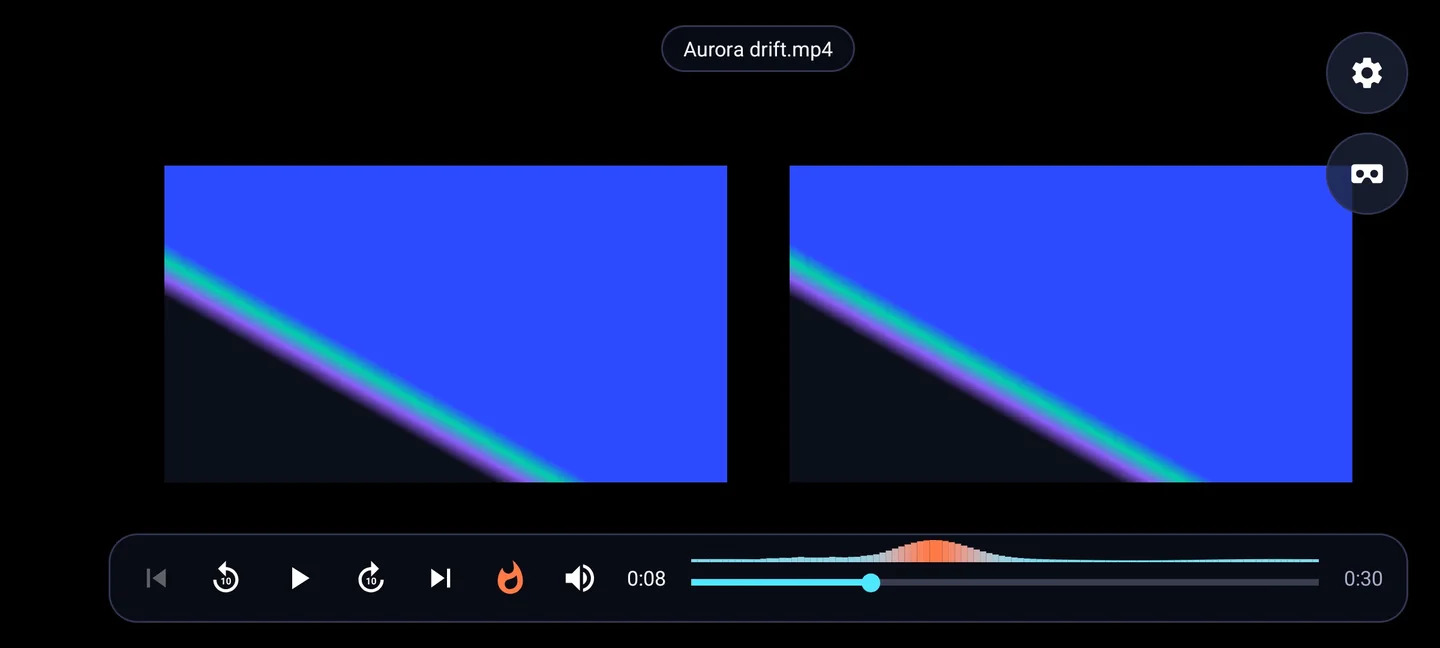
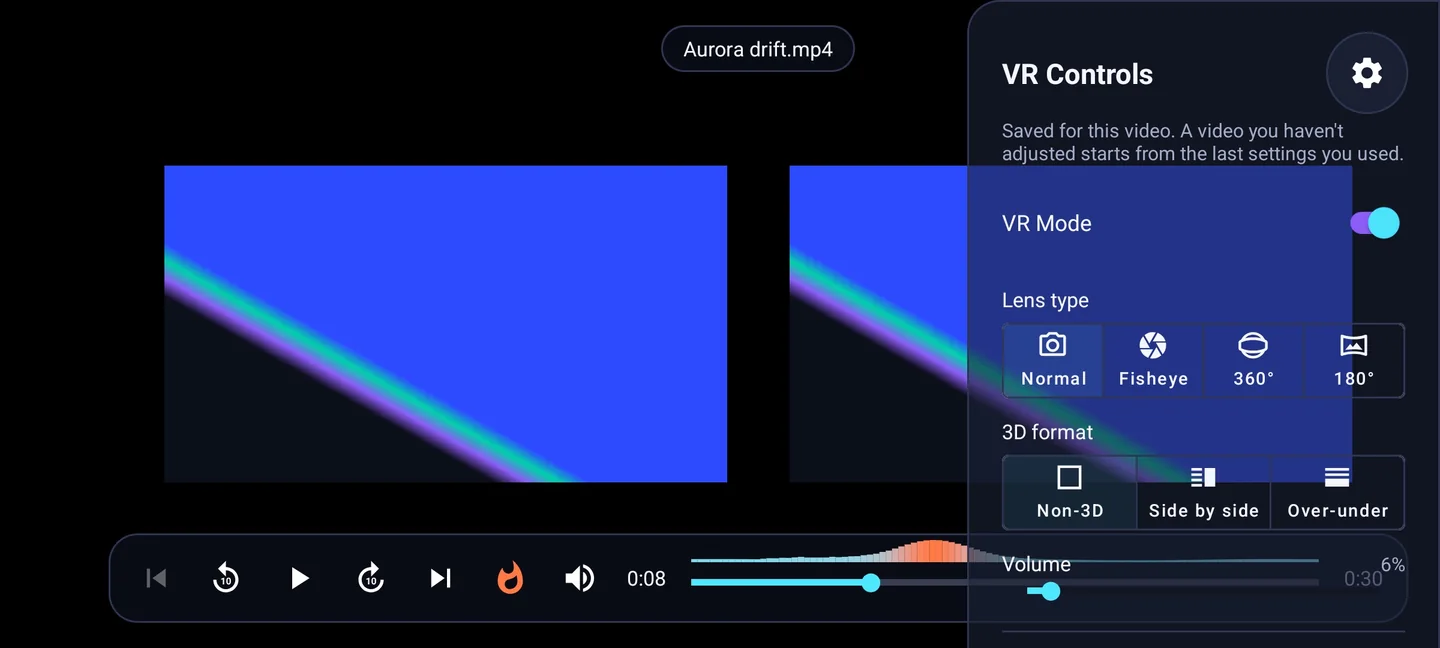
Every video plays side by side, one picture for each eye, sized and centred for the headset's lenses. Flat mode is one tap away when the phone is in your hand.
look around by turning your head
Normal, fisheye, 360° and 180° lens types. Head tracking turns the view as you move; drag to look when the phone is out of the headset, and recenter whenever you like.
accounts to make
There is no UPeak account. Your videos, the library and every setting stay on the phone.
What ships in the beta
Everything below is either built or being built. Waitlist members get each piece as it ships.
- Tonight’s programme8 features
- 01
One picture for each eye
Your own videos split into a picture for each eye, sized and centred for the headset's lenses. Flat mode too, for watching on the phone screen.
- 02
Normal, fisheye, 360° or 180°
Pick the lens type the clip was filmed with. Head tracking lets you look around by moving your head, or drag to look; recenter puts the view back in front of you.
- 03
2D, side by side or over-under
The 3D format is guessed from the file name and the shape of the picture, and you can change it for any video.
- 04
Picks up where you stopped
Zoom, position, eye spacing and alignment, VR mode, lens type and 3D format are kept for each video. Skip to the next or previous video, with the volume on screen.
- 05
A locked library
Keep the videos you choose inside the app, behind your fingerprint, face or a PIN. They stay out of the Gallery, out of other apps and out of cloud backups.
- 06
Tags, search and sorting
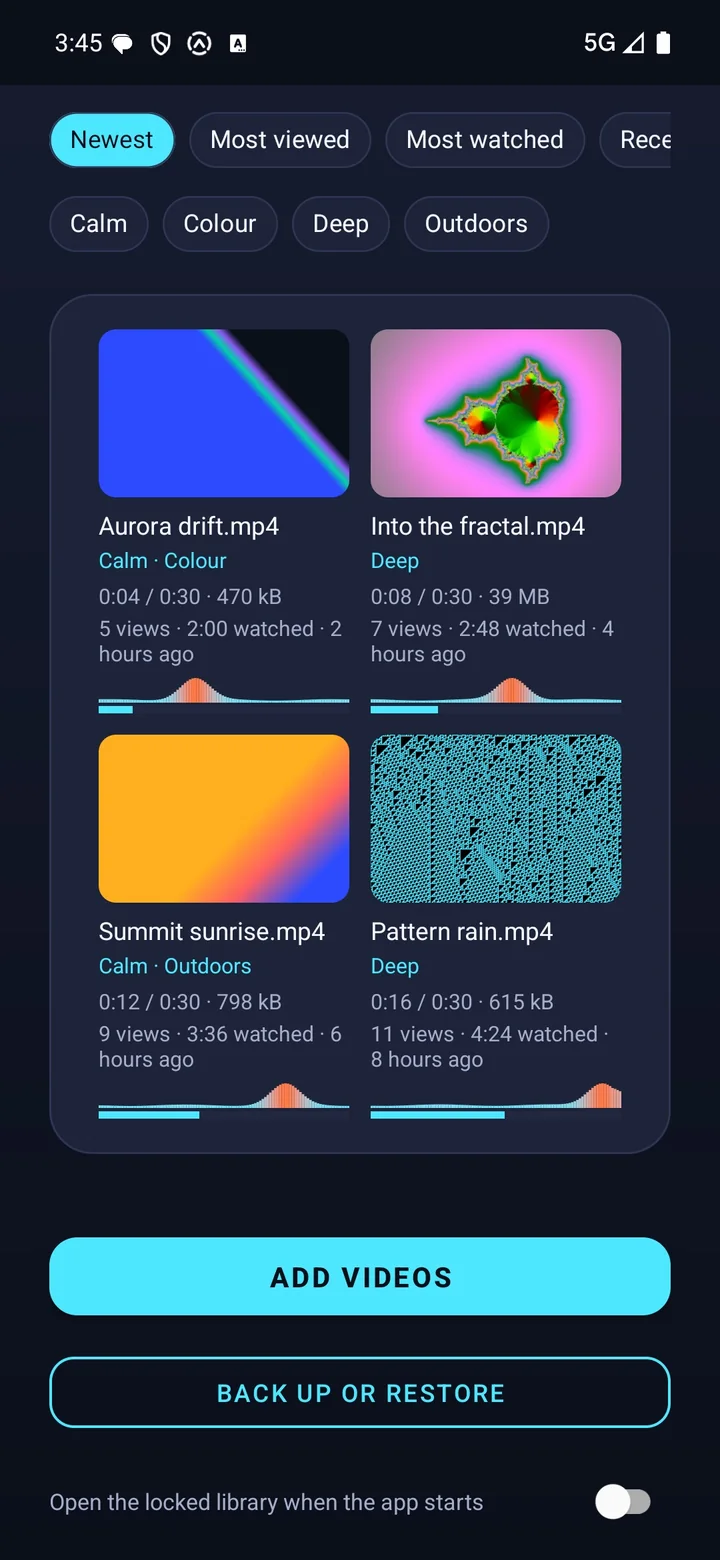
Tag videos, search them, and sort by most viewed, most watched, most recent or name, with a thumbnail for each.
- 07
The parts you watch most
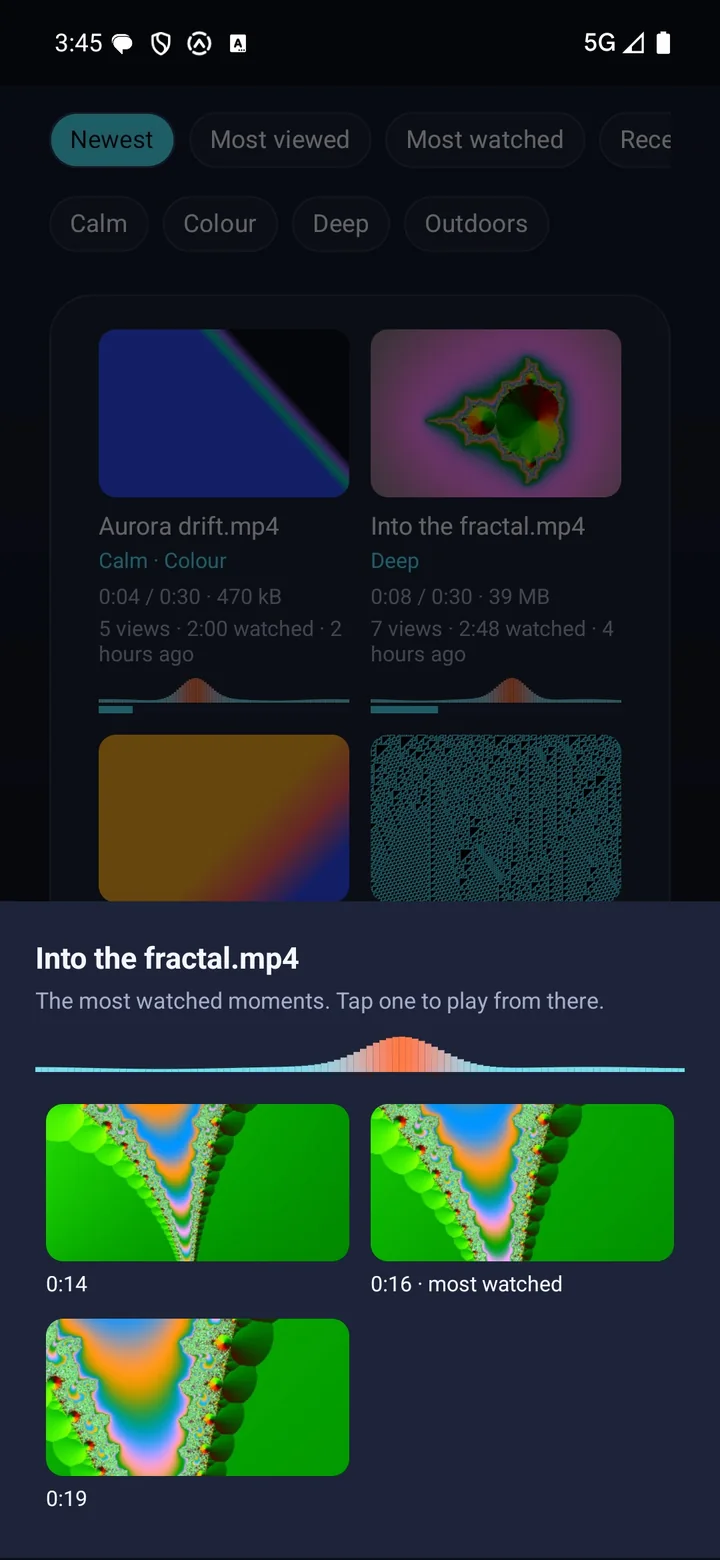
Each video gets a heat map of the parts you watch most, and a summary of its most watched moments. Tap one to play from there.
- 08
Back up, restore, share in
Back up the library to a folder you choose and restore it from there. Share a video into the app from another app to add it.
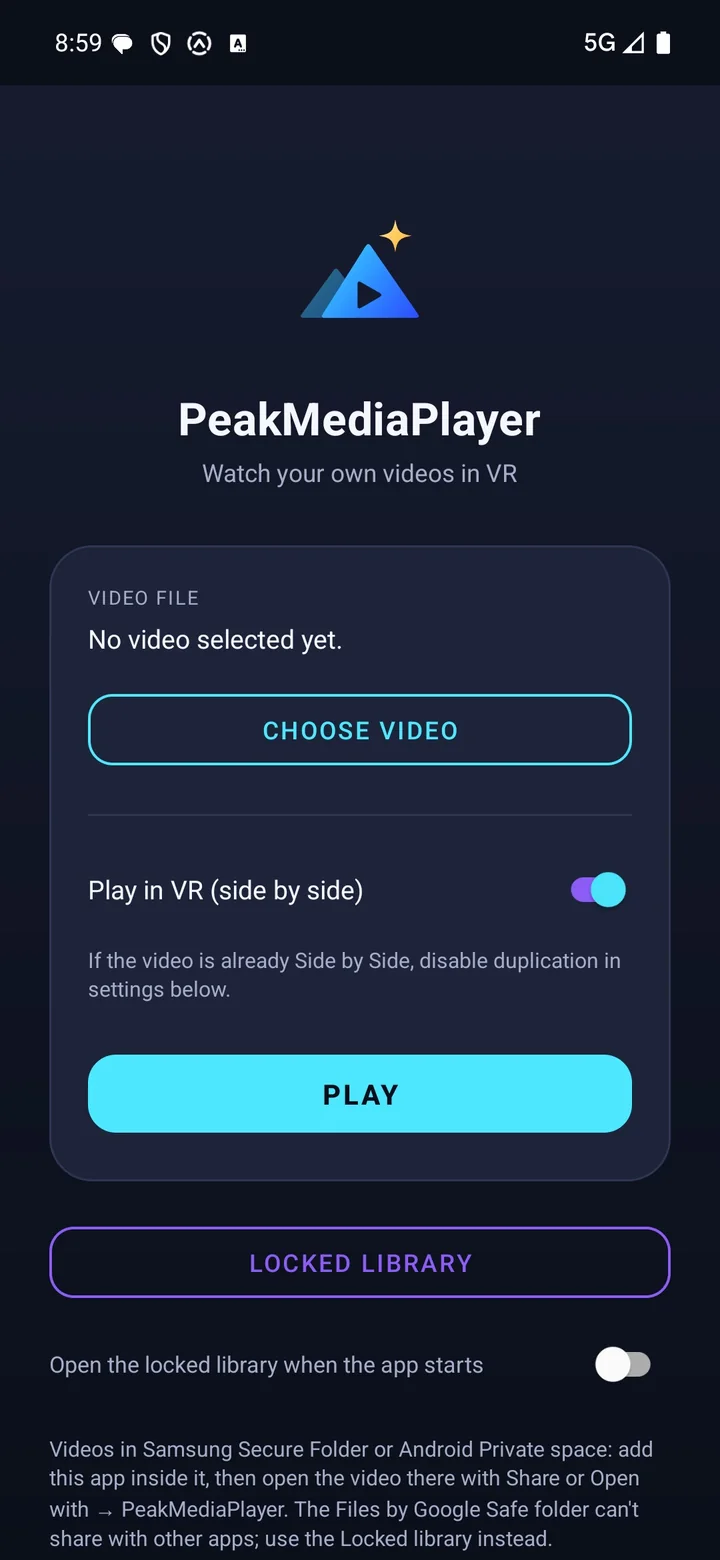
A look inside PeakMediaPlayer
Three phone screens, and the player held sideways in the headset.
The footage playing in these screens is abstract video generated for this page.
PeakMediaPlayer, answered
What do I need?
Which videos can it play?
Who is it for?
Where are my videos kept?
Does it remember where I stopped?
Is there an iPhone version?
What is the Founder's Pass?
What happens when the founding round closes?
The other apps
 PeakUBody · A coach that reads everything you already track.
 PeakVitalBaseline · Three tests. One number. Your real age.
 PeakBeatTraining · Your effort writes the setlist.
 PeakClothesWardrobe · One outfit a morning. No scrolling.
 PeakLookAttention · Drafts the reply. Keeps the follow-up going.
 PeakWatchAgents · Your coding agent, on your wrist.
 PeakVoucherWallet · A wallet for the vouchers buried in your messages.
 PeakFinanceHousehold · Save more, and see exactly where the household stands.
Get in while
it is still free.
The suite opens one app at a time, and the first 500 people through the door open it as founders. Tell us which app you want first and that is where we will start you.
Free for the whole beta — and the first year after launch.
Join before 31 December 2026 and you join as a founder. After it closes the waitlist stays open, but a waitlist is all it is: no free year, no locked price, and invites go out behind the founders.
- Every app you tick, free for the whole beta and for the first year after it launches.
- Founder pricing after that year, locked for as long as you stay.
- First in the queue: founders are invited ahead of the general waitlist, in join order.
- A direct line to the people building it — your reply goes to us, not to a helpdesk.
Your founder place is held.
We got it. Your Founder's Pass is logged against your email. When your slot opens you'll get one email with the build for the app you asked for first.