
The reply is drafted. The follow-up sends itself.
PeakLook is an email assistant that acts on your mail. It scans the Focused inbox, drafts replies threaded into each conversation, and runs multi-step follow-up sequences that send from the server while nothing is open, and stop the moment the other person replies.
Founder's Pass: free for the whole beta and the first year after it. 500 places, closing 15 November 2026.
Drafts the reply. Keeps the follow-up going.
An email assistant that writes the reply and keeps the follow-up going, so the thread that mattered does not get buried by Thursday.
- Day 0Reply drafted, in your voice
- +3dFollow-up one sends
- +7dFollow-up two sends
- +14dFollow-up three sends
- Reply landsThe sequence stops itself
tabs left open
Sequences send from the server on a daily schedule. Close the laptop; the follow-up still goes out, and stops when someone answers.
send lock
A shared lock and two ledgers mean a step cannot go out twice, whichever device sends it and however the timing falls.
means the machine wrote it
Anything the AI drafted, proposed or is about to send is shown in gold. Nothing else is, so you always know who wrote what.
What ships in the beta
Everything below is either built or being built. Waitlist members get each piece as it ships. Gold marks the steps the machine writes or sends.
- AI writes or sends
AI Drafter
Scans the Focused inbox, skips the newsletters, and saves a Reply-All draft threaded to every conversation that needs one. Read, edit, send.
- AI writes or sends
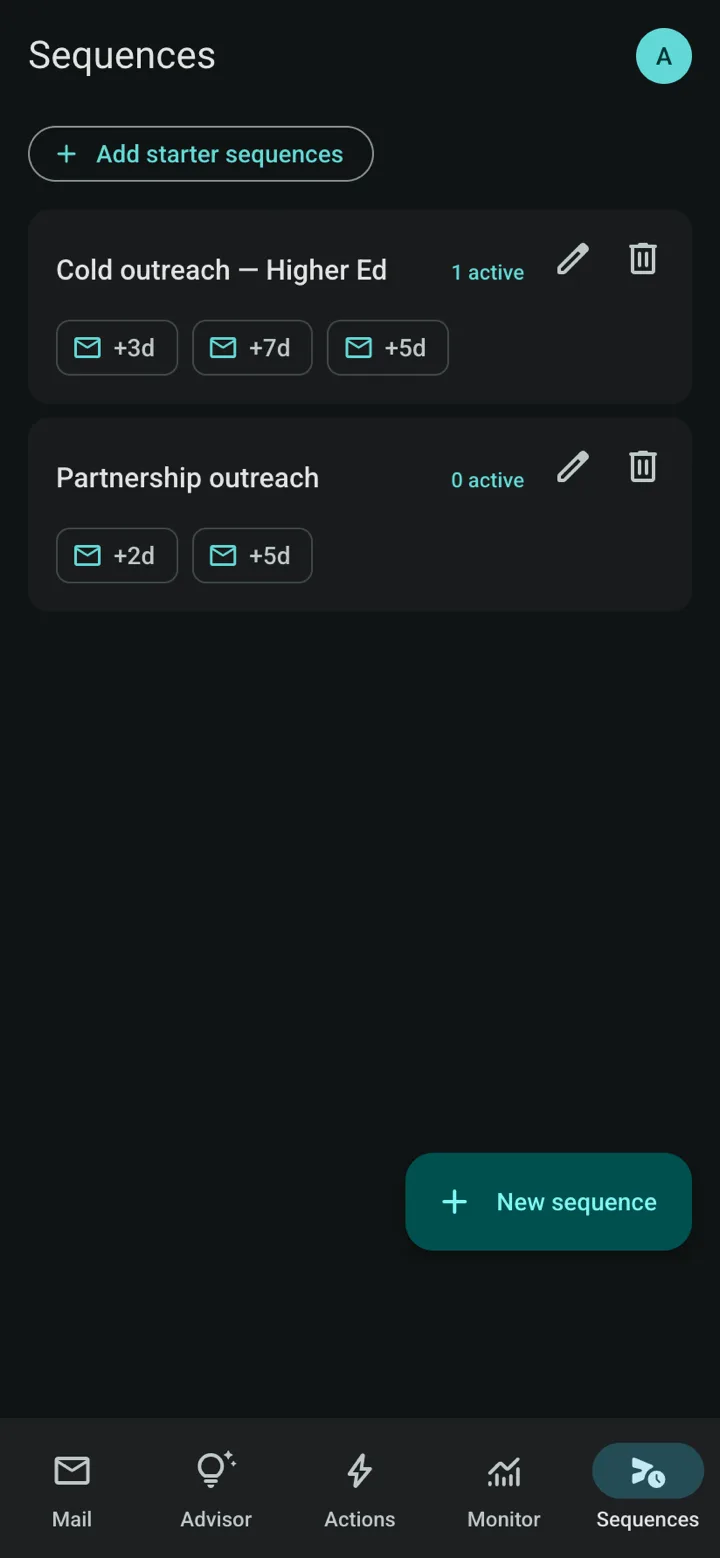
Sequences
Templates with steps at +3d, +7d, +14d. Enrol a contact once; the sequence writes each follow-up in your voice and keeps the thread alive.
- AI writes or sends
Autopilot
The daily sender runs server-side with no window open, respects send-days and quiet hours, and halts the enrolment the instant a reply lands.
- Yours
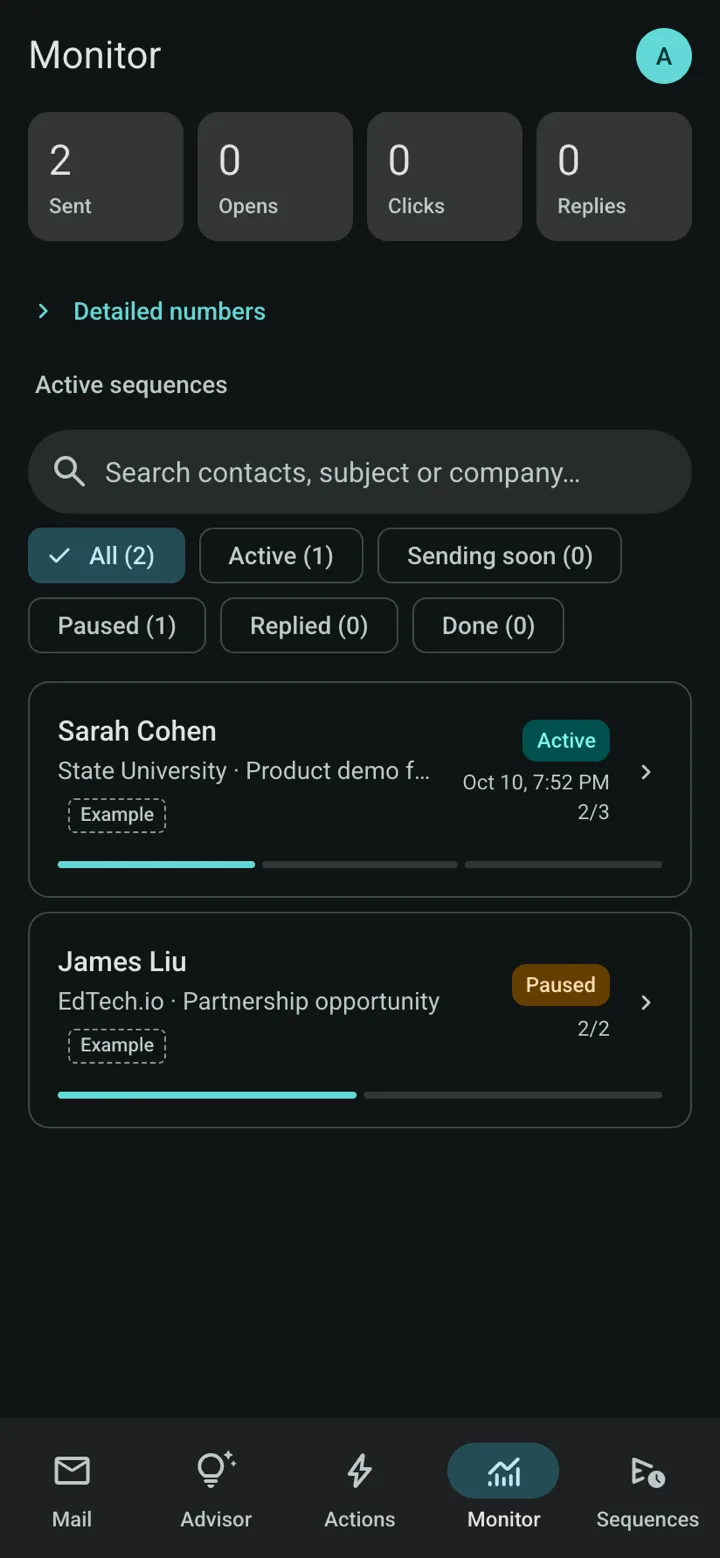
Monitor
Sent, opens, clicks and replies per contact, from signed tracking links that cannot be forged, with filters for who is active, paused or done.
- Yours
Tasks and follow-ups
The steps only you can do, like calling David or sending the case study, sit beside the automated ones, with due dates that show up in Actions.
- Yours
A full mail client on Android and the web
Folders, threads, search, compose, attachments and schedule-send in the standalone app. In Outlook, Outlook stays the client and PeakLook is the pane.
- Yours
Your keys, per request
Bring your own Anthropic, OpenAI or Gemini key. It is sent with each request and never stored. Pick the model in the interface.
- Yours
Follows you across devices
Settings, templates and enrolments sync through Supabase so a new PC, Outlook on the web or a phone picks up where you left off.
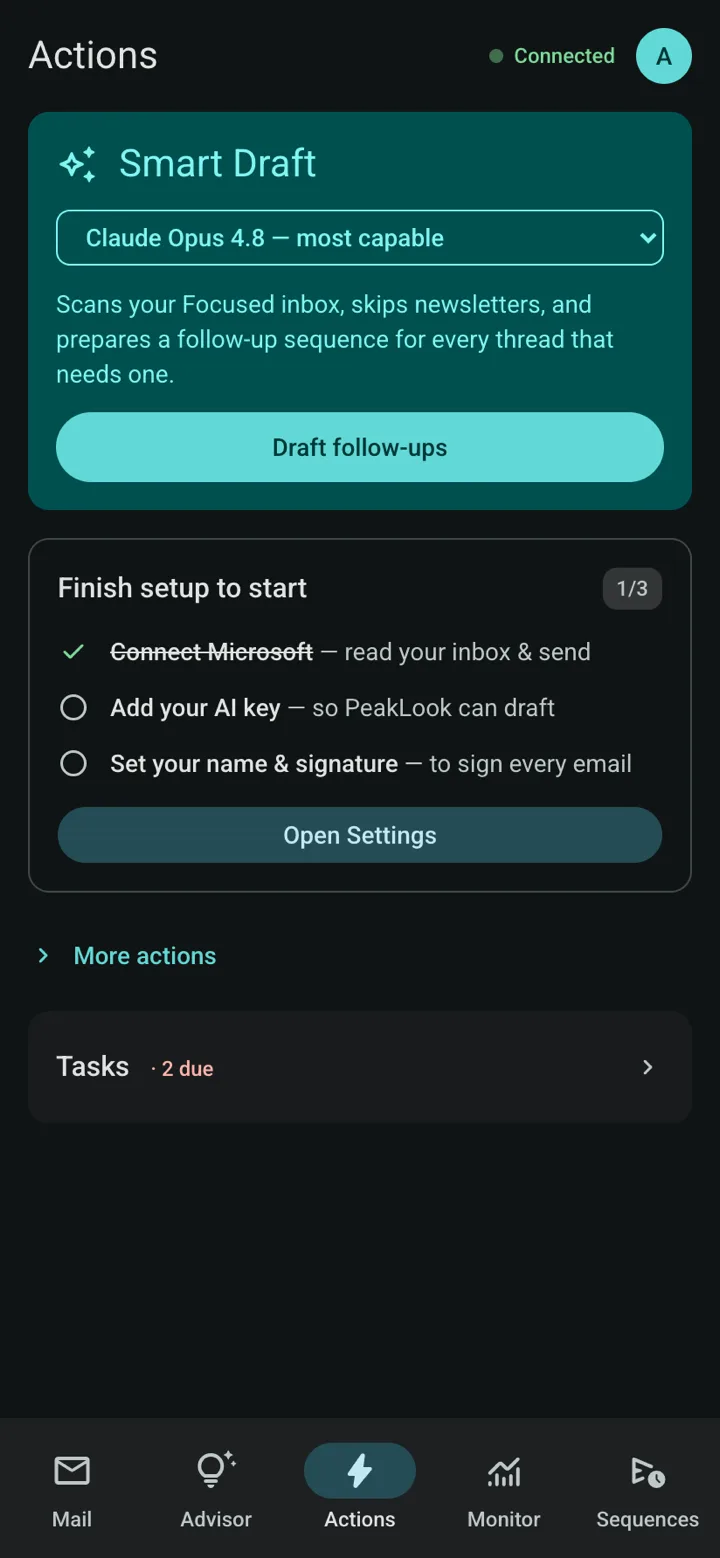
A look inside PeakLook
The three phone screens as they are today, and the same pane in Outlook on a desktop.
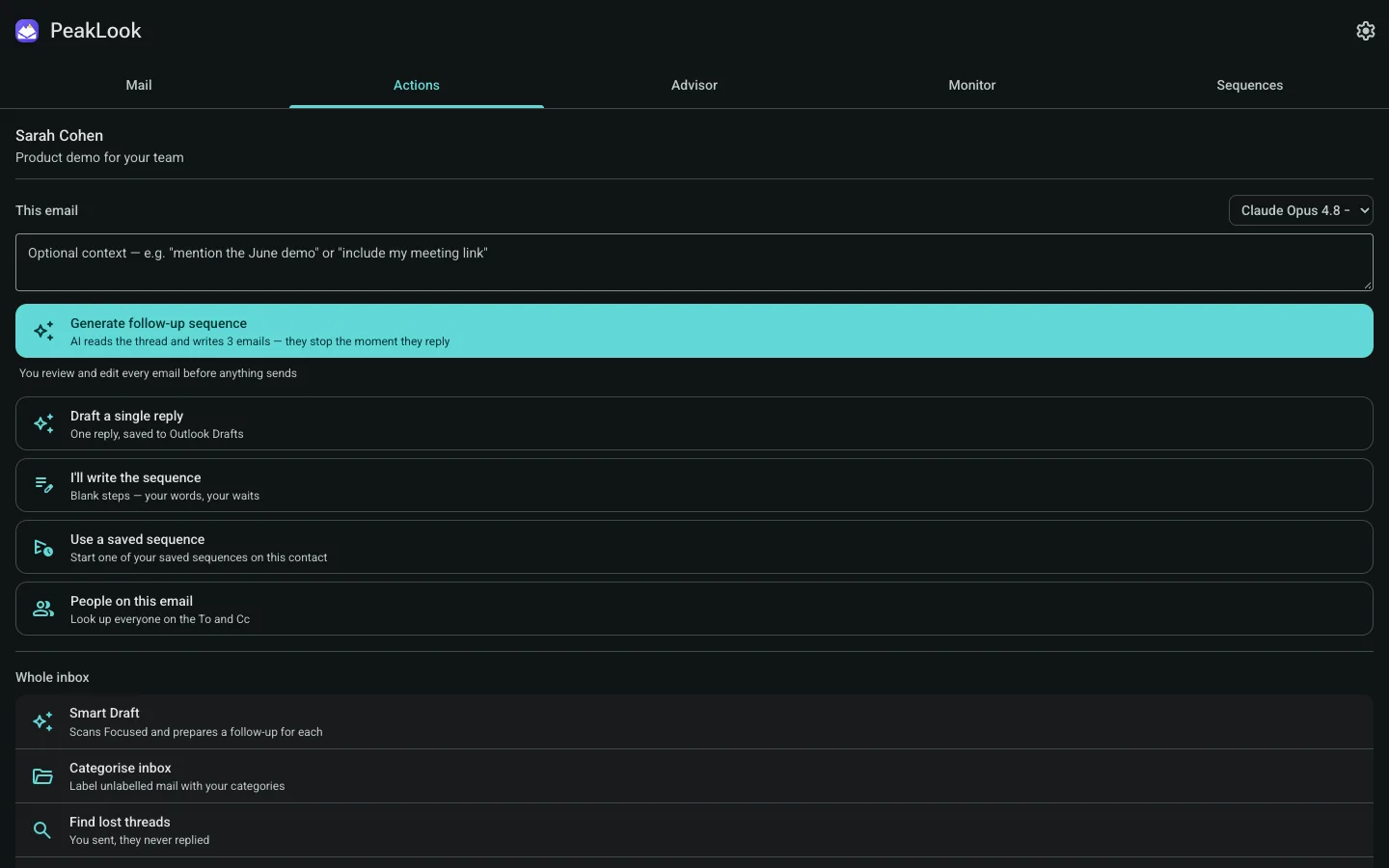
Sales-grade follow-up, inside Outlook.
Sequence tools are built for sales teams, and Outlook's own AI drafts but does not run sequences. PeakLook does both, in the pane you already use.
| Feature | PeakLook | Superhuman | Copilot in Outlook | Mixmax | Fyxer |
|---|---|---|---|---|---|
| Works inside Outlook | Yes | Own app | Yes | Yes | Yes |
| Follow-up sequences that stop on reply | Yes | No | Partial | Yes | Follow-up drafts |
| Sends on schedule with no window open | Yes | Partial | Partial | Yes | No |
| AI reply drafts | Yes | Yes | Yes | Yes | Yes |
| Open and click tracking | Yes | Read status | No | Yes | No |
| Wear OS glance | Yes | No | Outlook app | No | No |
| iPhone app | No | Yes | Yes | No | No |
Checked against each product’s public pages and store listings in October 2026. Products change; if a cell is out of date, tell us at hello@upeak.io and we will fix it.
PeakLook, answered
Which mail accounts does it support?
Will it send email without me?
Where do my AI keys and mail live?
Can a follow-up go out twice?
Is it a CRM?
What is the Founder's Pass?
What happens when the founding round closes?
The other apps
 PeakUBody · A coach that reads everything you already track.
 PeakVitalBaseline · Three tests. One number. Your real age.
 PeakBeatTraining · Your effort writes the setlist.
 PeakClothesWardrobe · One outfit a morning. No scrolling.
 PeakWatchAgents · Your coding agent, on your wrist.
 PeakVoucherWallet · A wallet for the vouchers buried in your messages.
 PeakFinanceHousehold · Save more, and see exactly where the household stands.
The research behind PeakLook
Fyxer vs Superhuman vs Copilot in Outlook: which one to use
Fyxer vs Superhuman vs Copilot in Outlook: price, drafting, sorting and follow-ups for Microsoft 365, checked against…
Inbox zero method: how to get there and stay there in Gmail and Outlook
Inbox zero is about attention, not an empty folder: Merlin Mann's five actions, the research, step-by-step setup in…
Best AI email assistant 2026: 9 tools compared on price and what they do
Best AI email assistant 2026: Fyxer, Superhuman, Copilot, Shortwave, Inbox Zero, Gemini, SaneBox and Lindy compared on…
Get in while
it is still free.
The suite opens one app at a time, and the first 500 people through the door open it as founders. Tell us which app you want first and that is where we will start you.
Free for the whole beta — and the first year after launch.
Join before 15 November 2026 and you join as a founder. After it closes the waitlist stays open, but a waitlist is all it is: no free year, no locked price, and invites go out behind the founders.
- Every app you tick, free for the whole beta and for the first year after it launches.
- Founder pricing after that year, locked for as long as you stay.
- First in the queue: founders are invited ahead of the general waitlist, in join order.
- A direct line to the people building it — your reply goes to us, not to a helpdesk.
Your founder place is held.
We got it. Your Founder's Pass is logged against your email. When your slot opens you'll get one email with the build for the app you asked for first.