
Every voucher you own, used before it expires.
PeakVoucher pulls vouchers out of the SMS and emails they arrive in, reads the amount, the expiry and the code, and keeps them in one wallet grouped by what expires next. At the till it draws a scannable barcode, on the phone, a standalone Wear OS watch, or in a browser. An assistant answers questions about the wallet, and a deal tracker tells you the moment something you want is back in stock.
Founder's Pass: free for the whole beta and the first year after it. 500 places, closing 15 November 2026.
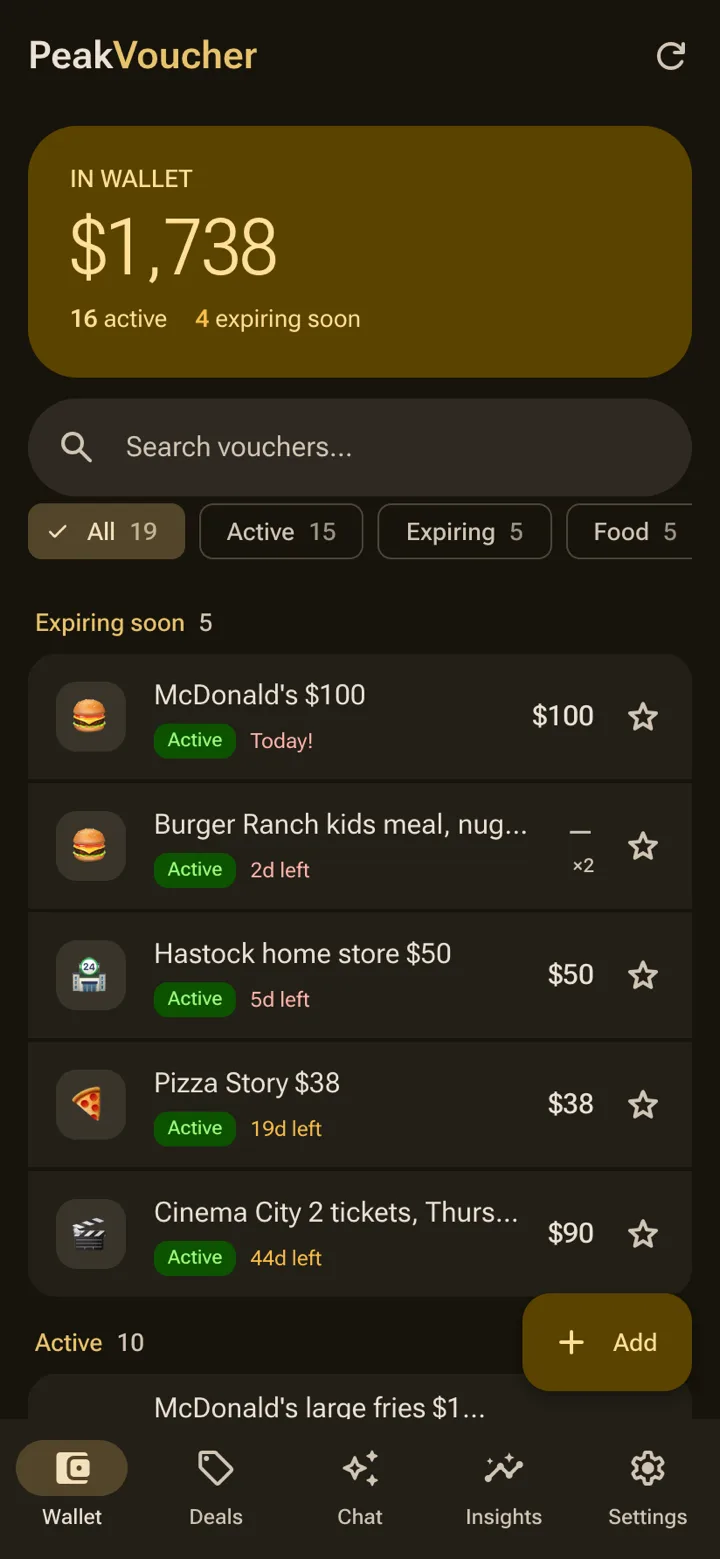
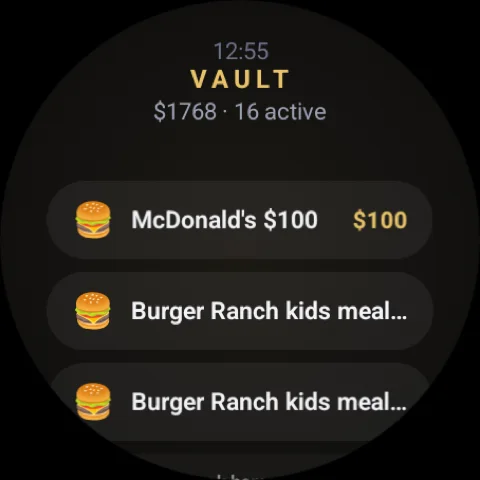
A wallet for the vouchers buried in your messages.
A wallet for the gift cards, coupons and benefits buried in your messages. One list, sorted by what expires next, with a barcode that scans at the till, on the phone or on the wrist.
The sum counts only what is known. A coupon for a free item is worth something, not $0, so it is listed and left out of the total.
wallet for all of them
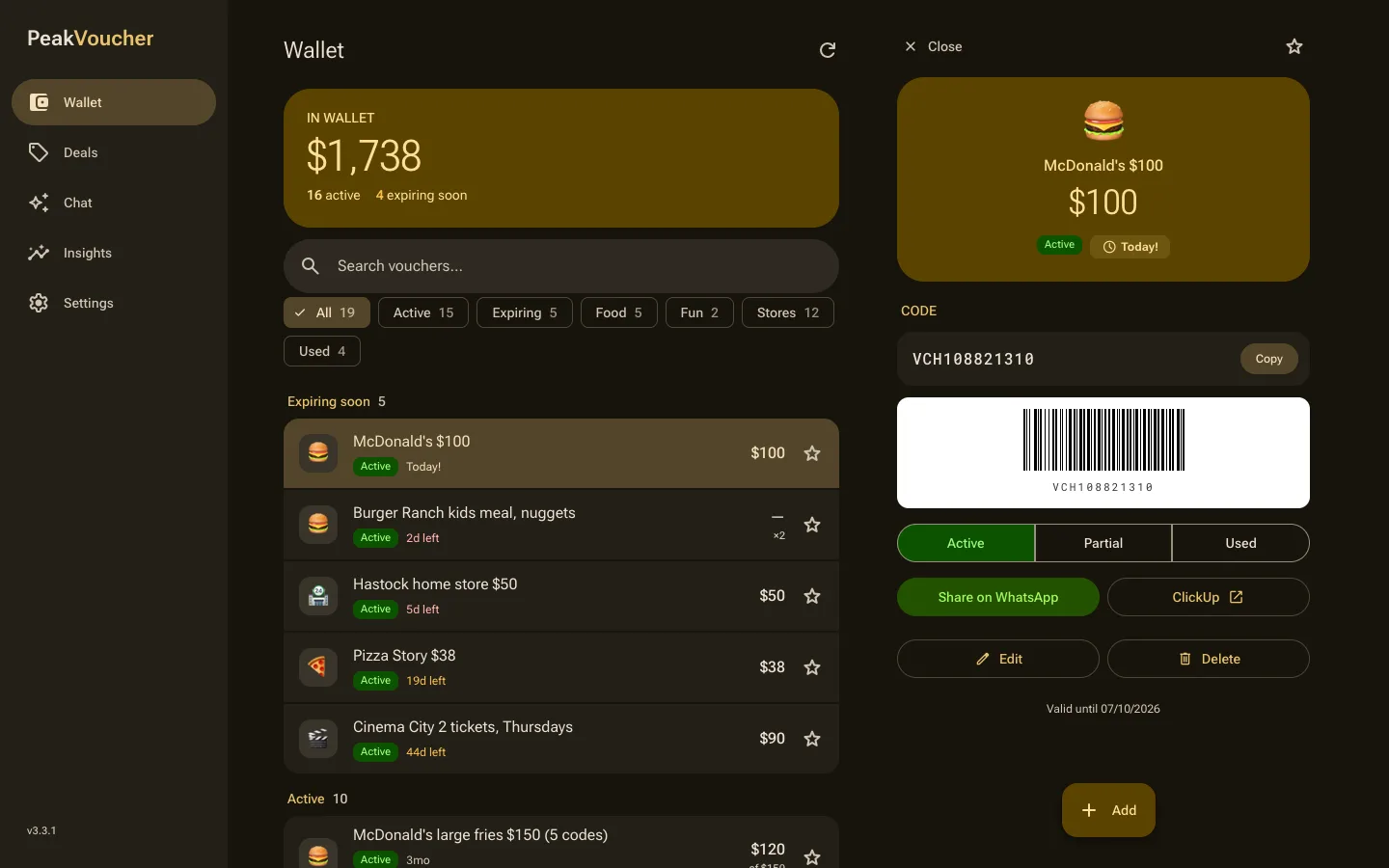
Gift cards, coupons, store credit and employer benefits from every sender, in one list grouped by what expires next. The $100 that arrived by SMS in March is where you will look in June.
days of warning
Anything expiring within sixty days rises to the top in amber and turns red under fourteen. Favourites float up, duplicates merge, and nothing waits quietly for the day after.
code fetched at a time
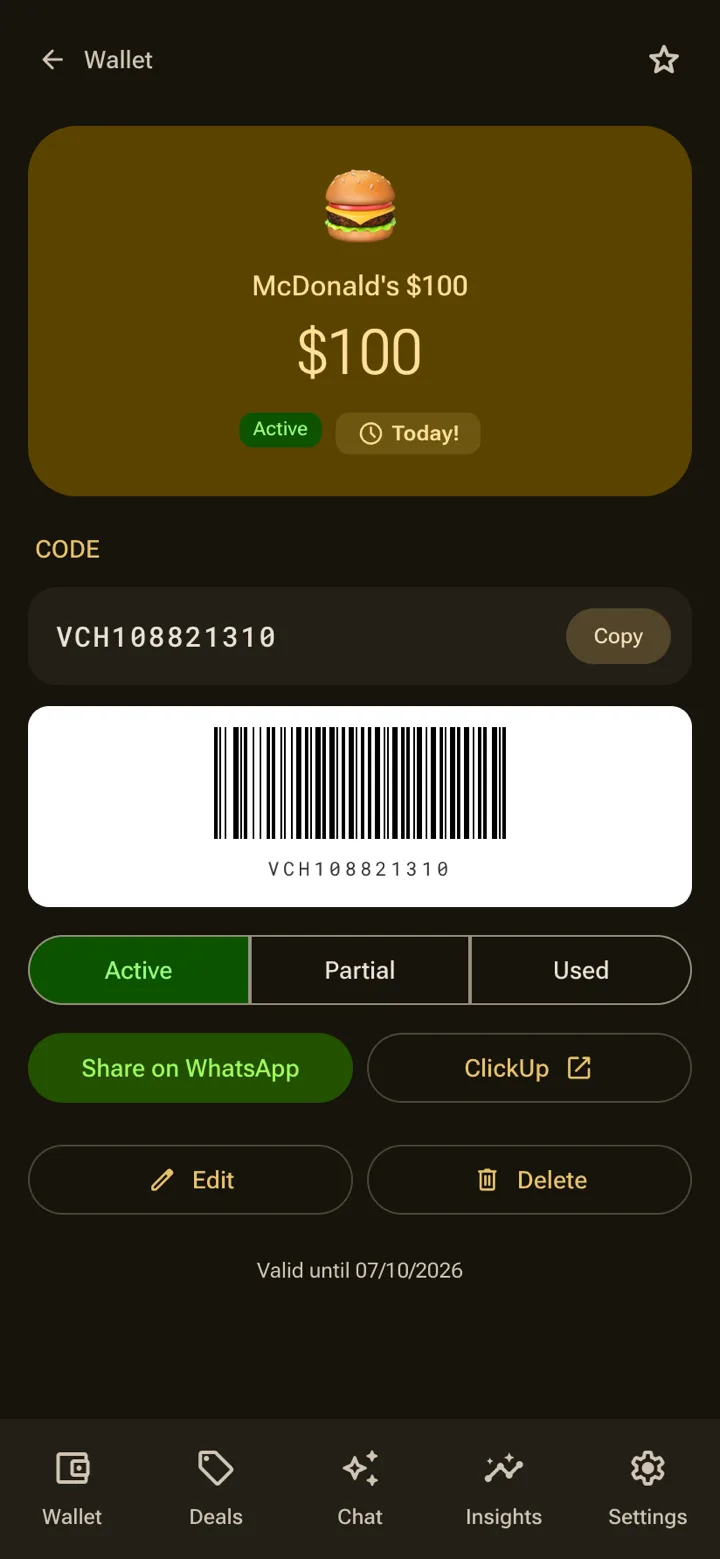
The wallet list carries names and values, never codes. A code is fetched only when you open that voucher, so one intercepted response can never spill the whole wallet.
What ships in the beta
Everything below is either built or being built. Waitlist members get each piece as it ships.
- PeakVoucher · what ships8 items
- 01
Import from SMS
Voucher-looking messages from the inbox, one-time passcodes explicitly excluded. Open one and the amount, expiry and codes are read out for you. Nothing is read before you grant permission.
- 02
Add by paste
Paste the SMS or email and the assistant reads the name, the sum, the expiry and the codes. Anything it is unsure of is flagged for a look; a local parser is the offline fallback.
- 03
Sorted by what expires next
Expiring soon, active, used. Sixty days out turns amber, fourteen turns red. Search forgives apostrophes, spacing and the typo in the original message.
- 04
A barcode that scans
Code 128 or EAN-13, auto-detected, drawn on a white card with proper quiet zones. It refuses to draw rather than show the till a symbol it cannot read.
- 05
The wallet on your wrist
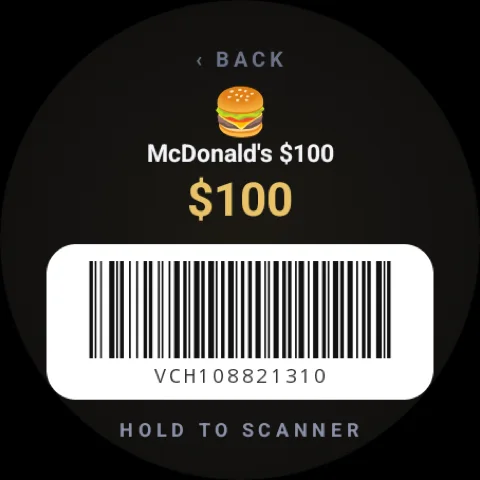
A standalone Wear OS app: the soonest-expiring vouchers on the face, the barcode one tap away, screen brightness pushed to maximum for as long as the scanner needs it.
- 06
Ask the wallet
What can I use for lunch? Which ones expire this month? The assistant knows every voucher, fetches a code only when you ask for one, and cannot change or delete anything.
- 07
Deal tracker
Add a link to something you want. It is checked daily, cheapest signal first, and you are told the moment it is back in stock, or only once it drops under your price.
- 08
Owner and viewer
Share the wallet with your partner as a viewer: they read codes and mark one used, never add or share on. The roles are enforced on the server; the app only hides the buttons.
- TotalOne wallet, every voucher
A look inside PeakVoucher
Scroll sideways for the phone. The watch is standalone, and the browser shows the same wallet two panes wide.
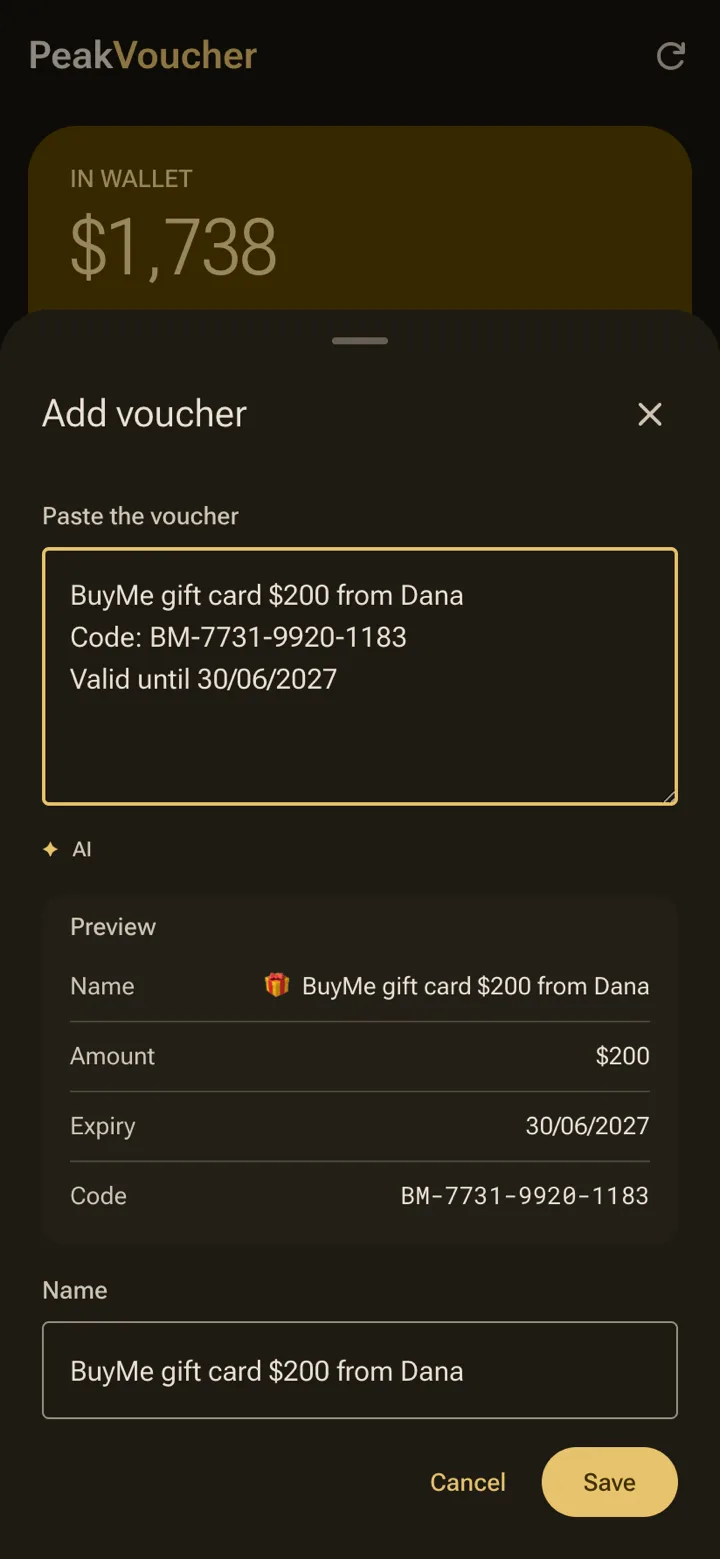
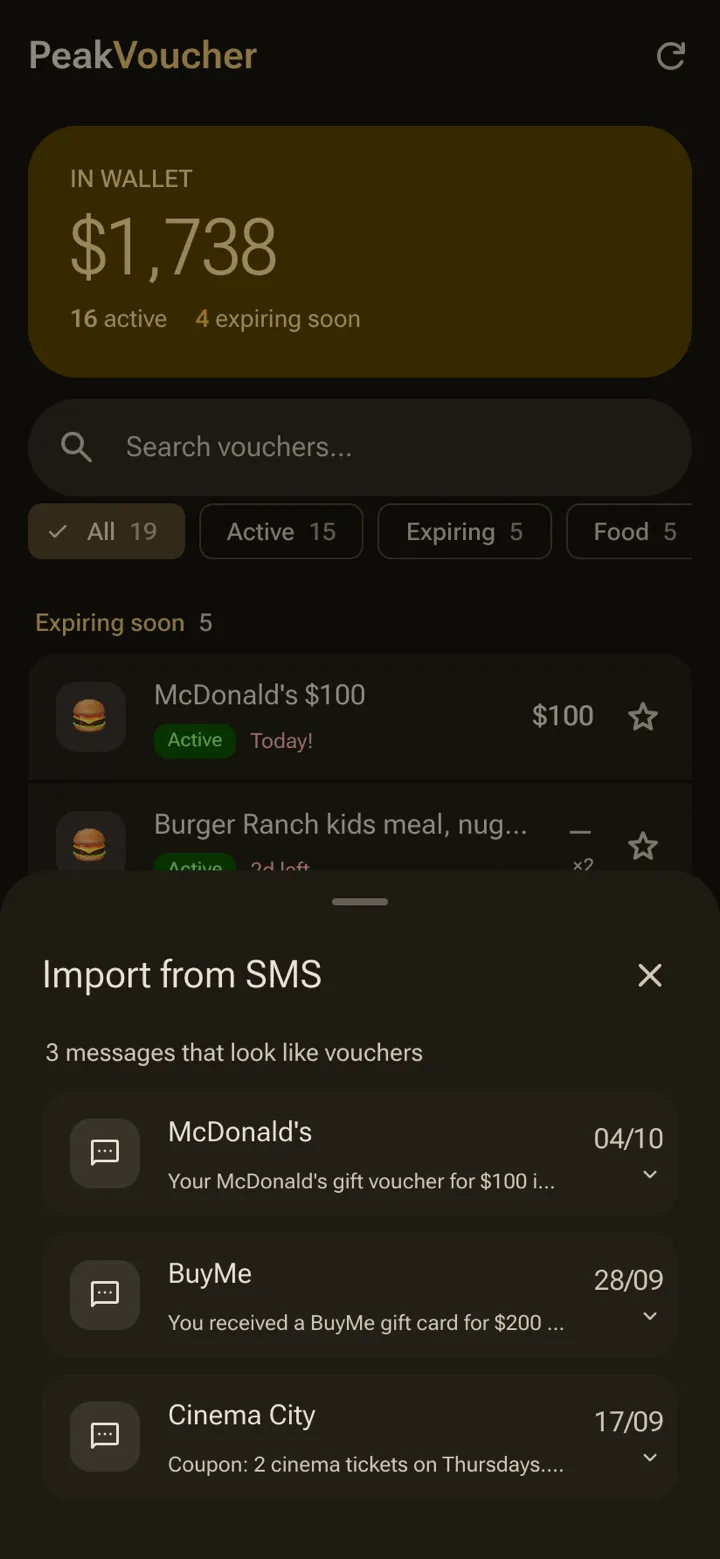
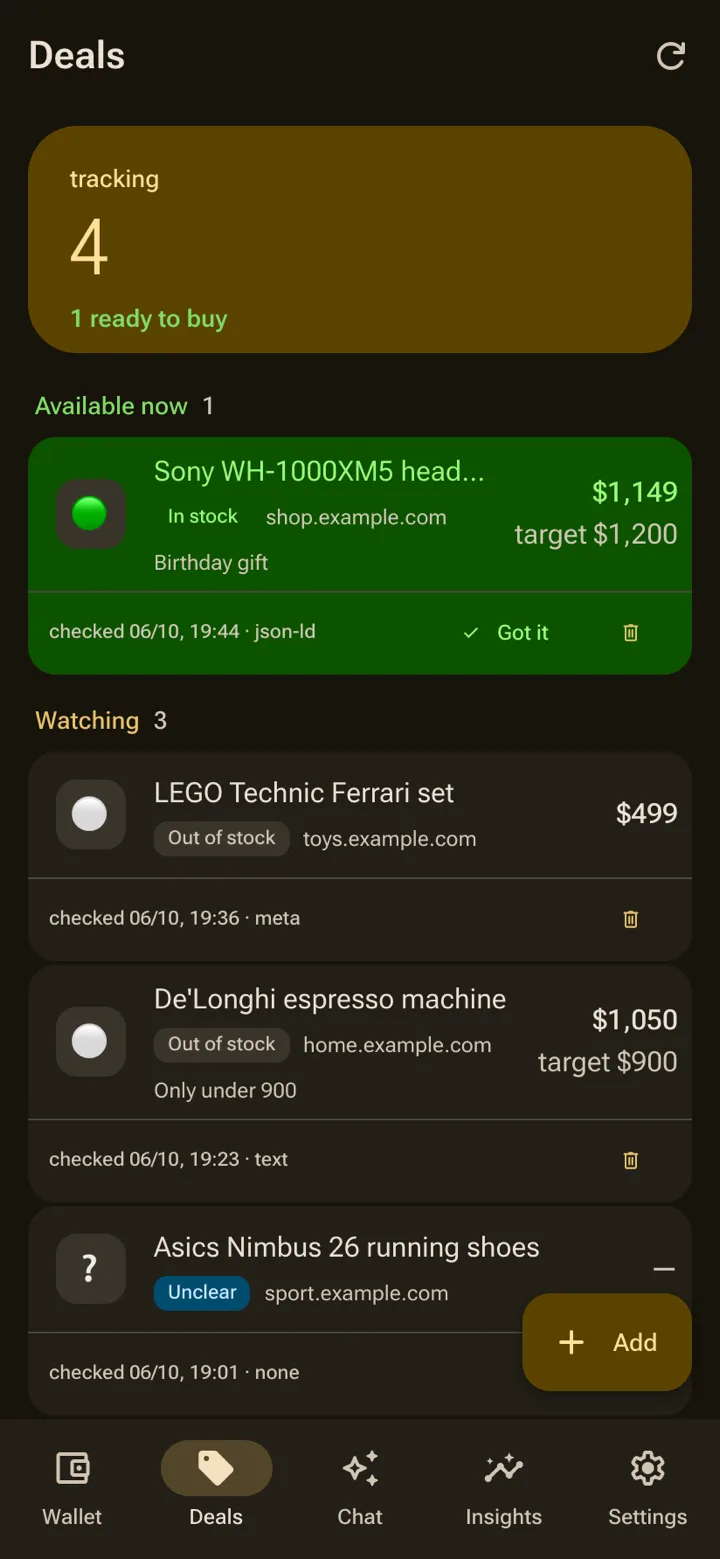
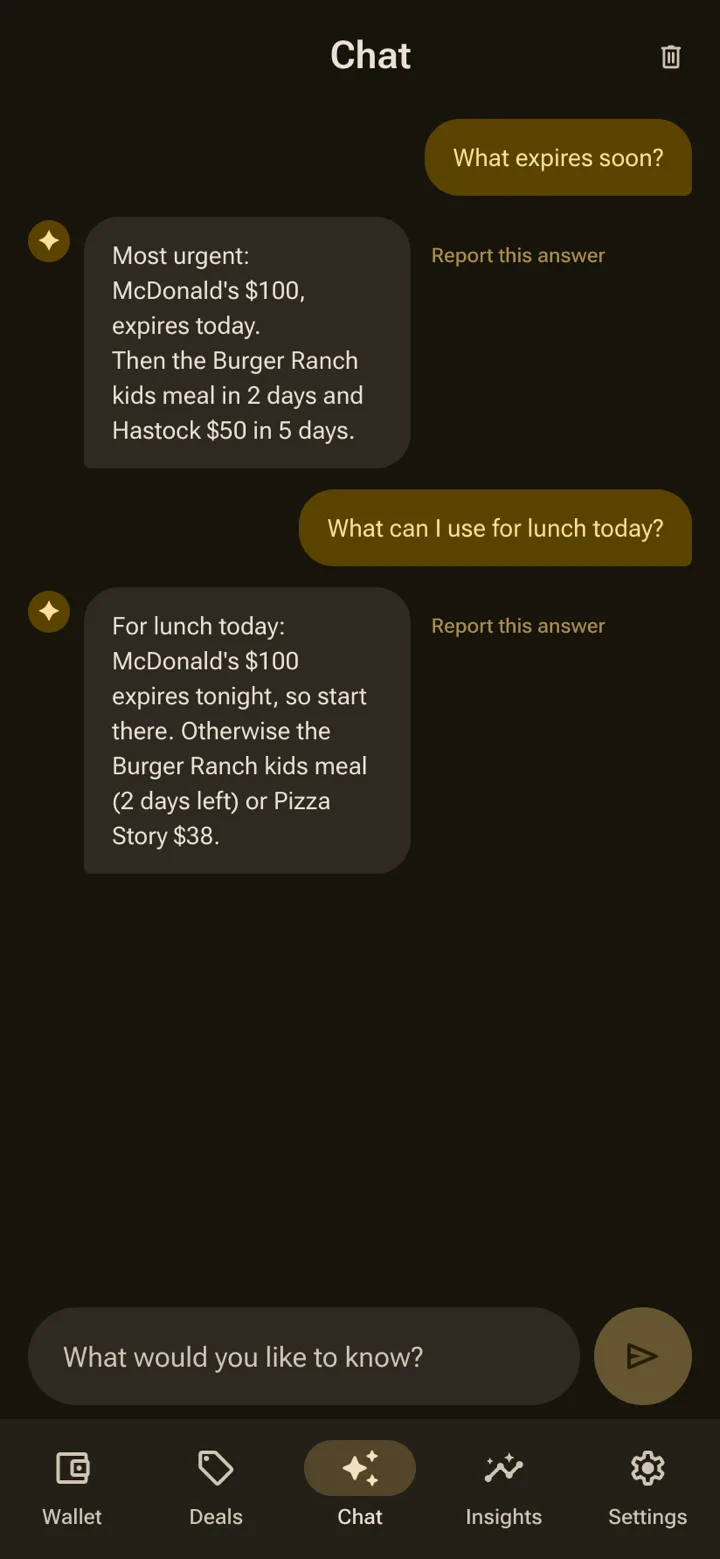
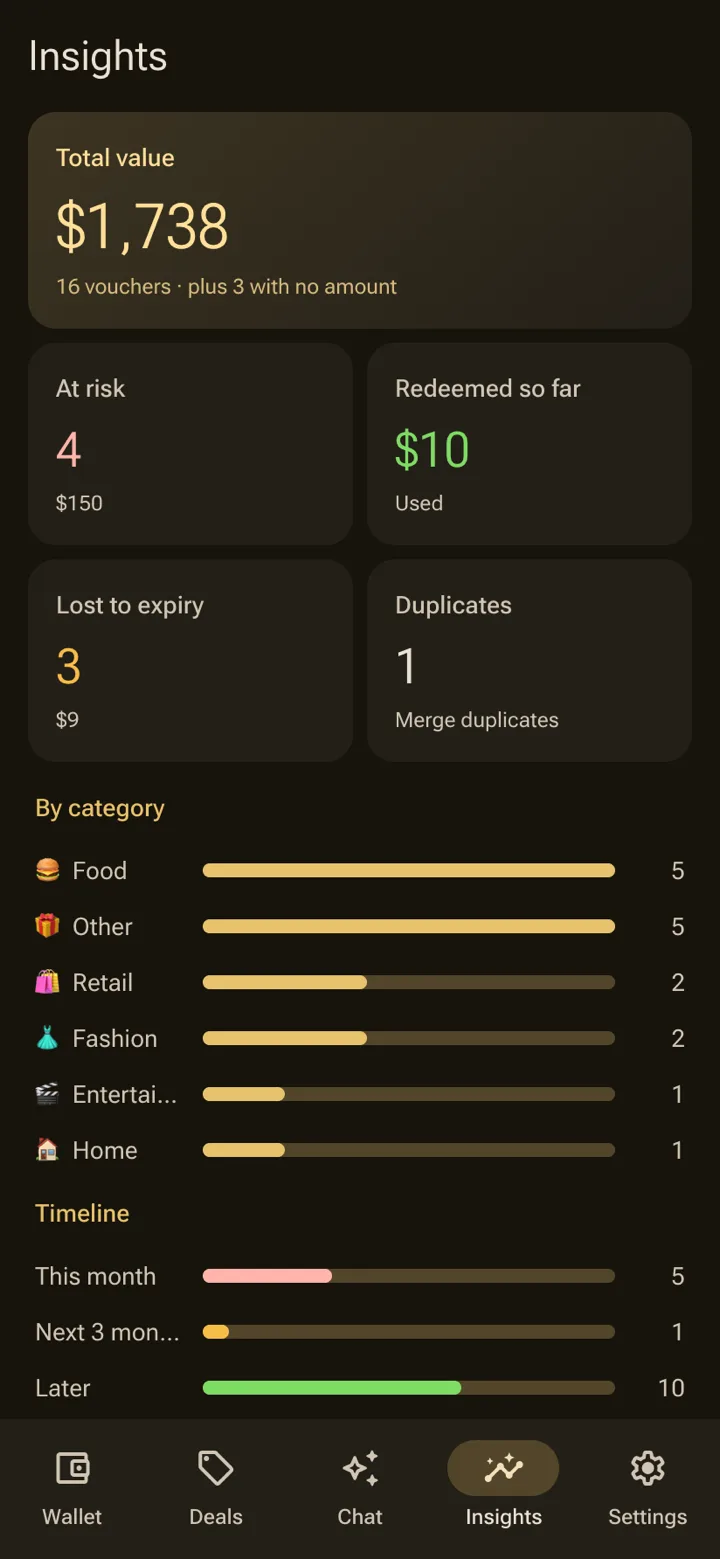
A wallet that reads the message for you.
Card wallets hold a barcode. PeakVoucher keeps the balance, the expiry and the code, and fills them in from the SMS it arrived in.
| Feature | PeakVoucher | Vouchy | Google Wallet | Klarna (ex-Stocard) | Pass2U |
|---|---|---|---|---|---|
| Any issuer's vouchers and codes | Yes | Yes | Barcode only | Loyalty cards | Yes |
| Tracks the remaining balance | Yes | Yes | Issuer cards only | No | No |
| Expiry reminders | Yes | Yes | Issuer cards only | No | Partial |
| Reads a voucher from an SMS or paste | Yes | No | From a photo | No | No |
| Ask the wallet in plain language | Yes | No | No | No | No |
| Share with a partner, view-only | Yes | No | No | No | Single passes |
| Wear OS app | Yes | No | Yes | No | Pro tier |
| iPhone app | No | Yes | Yes | Yes | Yes |
Checked against each product’s public pages and store listings in October 2026. Products change; if a cell is out of date, tell us at hello@upeak.io and we will fix it.
PeakVoucher, answered
Where do the vouchers come from?
Does the barcode actually scan?
Does the watch need the phone?
Can I share the wallet with my partner?
Where is the wallet stored?
Is it on Google Play?
Does it track partial balances?
What is the Founder's Pass?
What happens when the founding round closes?
The other apps
 PeakUBody · A coach that reads everything you already track.
 PeakVitalBaseline · Three tests. One number. Your real age.
 PeakBeatTraining · Your effort writes the setlist.
 PeakClothesWardrobe · One outfit a morning. No scrolling.
 PeakLookAttention · Drafts the reply. Keeps the follow-up going.
 PeakWatchAgents · Your coding agent, on your wrist.
 PeakFinanceHousehold · Save more, and see exactly where the household stands.
The research behind PeakVoucher
How to check a gift card balance: Amazon, Apple, Visa, Target and more
How to check a gift card balance on the issuer's own page: Amazon, Apple, Target, Walmart, Visa, Starbucks and more…
Got gift cards for the holidays? Redeem, track and spend them
Holiday gift cards: how to redeem Apple, Google Play, Amazon and Spotify cards, which ones expire, and a simple way to…
Gift card scams: how to spot them, what to do in the first hour, and how to report one
Gift card scams cost Americans over $200 million a year in reported losses. The scam types, the signs, what to do in…
Get in while
it is still free.
The suite opens one app at a time, and the first 500 people through the door open it as founders. Tell us which app you want first and that is where we will start you.
Free for the whole beta — and the first year after launch.
Join before 15 November 2026 and you join as a founder. After it closes the waitlist stays open, but a waitlist is all it is: no free year, no locked price, and invites go out behind the founders.
- Every app you tick, free for the whole beta and for the first year after it launches.
- Founder pricing after that year, locked for as long as you stay.
- First in the queue: founders are invited ahead of the general waitlist, in join order.
- A direct line to the people building it — your reply goes to us, not to a helpdesk.
Your founder place is held.
We got it. Your Founder's Pass is logged against your email. When your slot opens you'll get one email with the build for the app you asked for first.