Every account, one picture. Savings first.
PeakFinance puts the household's accounts and cards into one ledger and keeps it current from the bank, so what you own, what you owe and what is left are always one screen away. Savings are a fixed row, moved first and tracked against your goals, not whatever survives the month. The budget recalculates itself from the ledger, the forecast shows the low point before the next salary, and every charge belongs to a person or the household. The bank sync runs on your own computer, so no bank password ever enters the app.
Founder's Pass: free for the whole beta and the first year after it. 500 places, closing 15 October 2026.
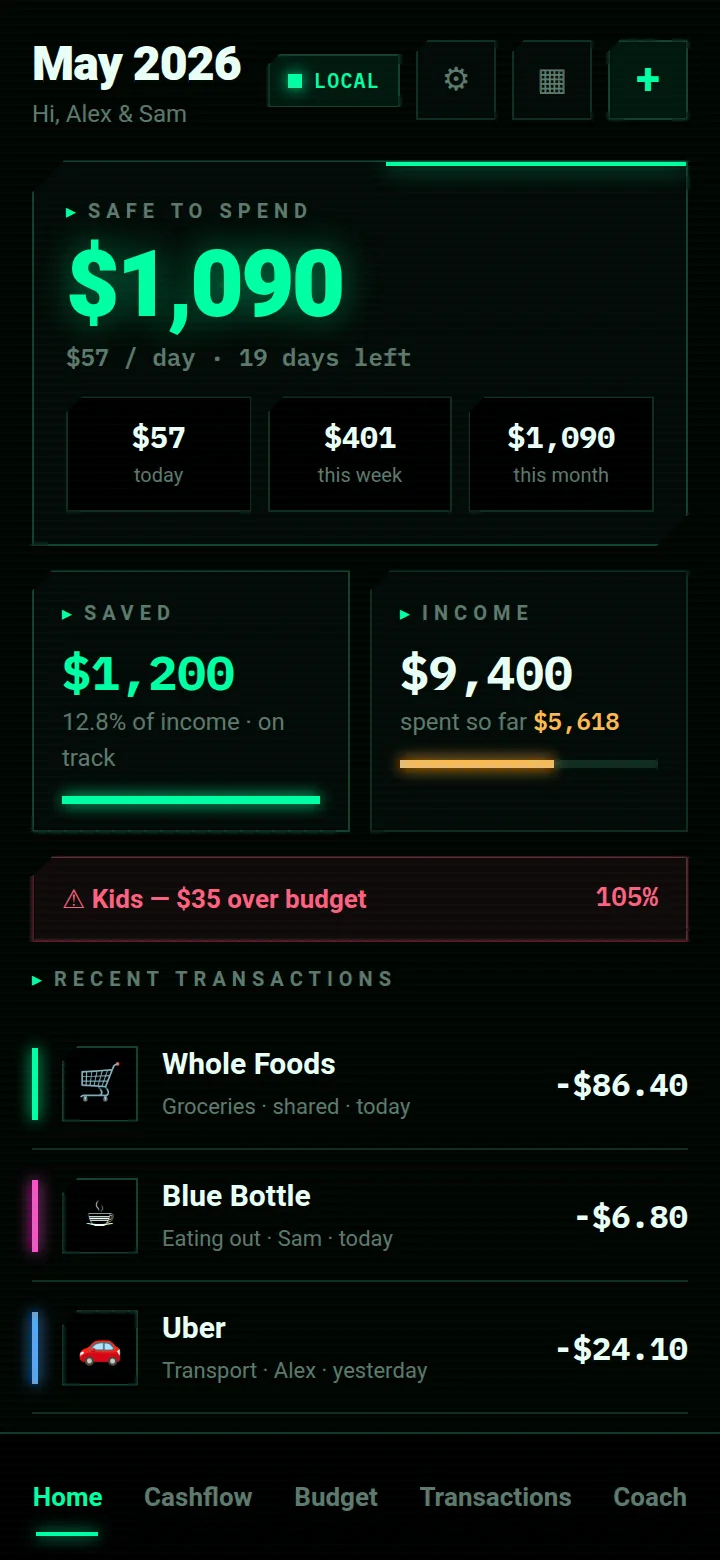
Save more, and see exactly where the household stands.
Household finance for couples and families: every bank account and card in one live ledger, savings taken before the month can eat them, a budget that recalculates itself, and every charge attributed to the person who made it, so nothing is a surprise on the statement.
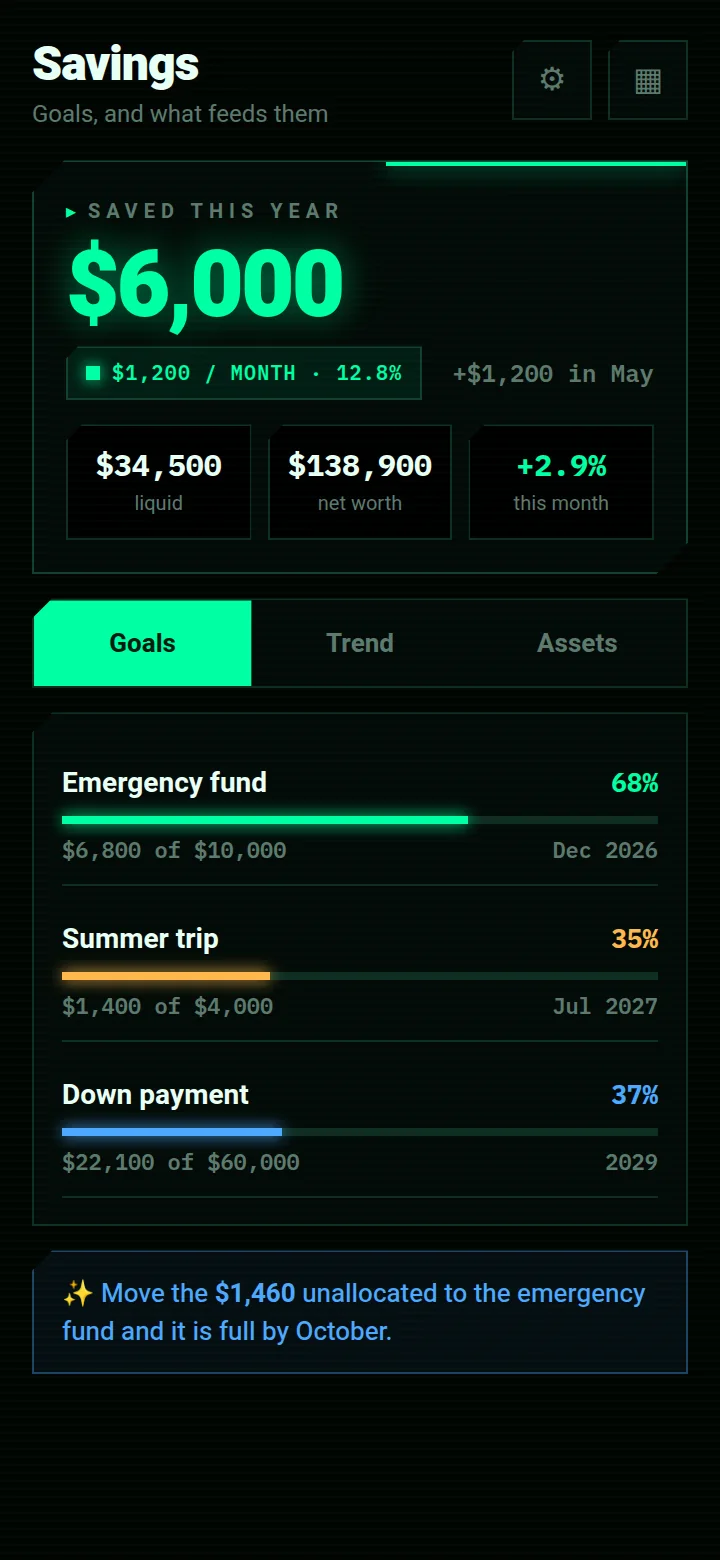
Savings are the first fixed row of the budget, so the amount is decided before the month starts. Each goal shows what is in it and when it fills at the current rate; the unallocated remainder of the plan is offered to the goal that needs it, before it can drift into spending.
line of the budget is savings
Savings are a fixed row, moved at the start of the month and tracked against each goal, so what you save is decided before what you spend. Emergency fund, a trip, a down payment: each one shows how far along it is and when it lands.
people, one ledger
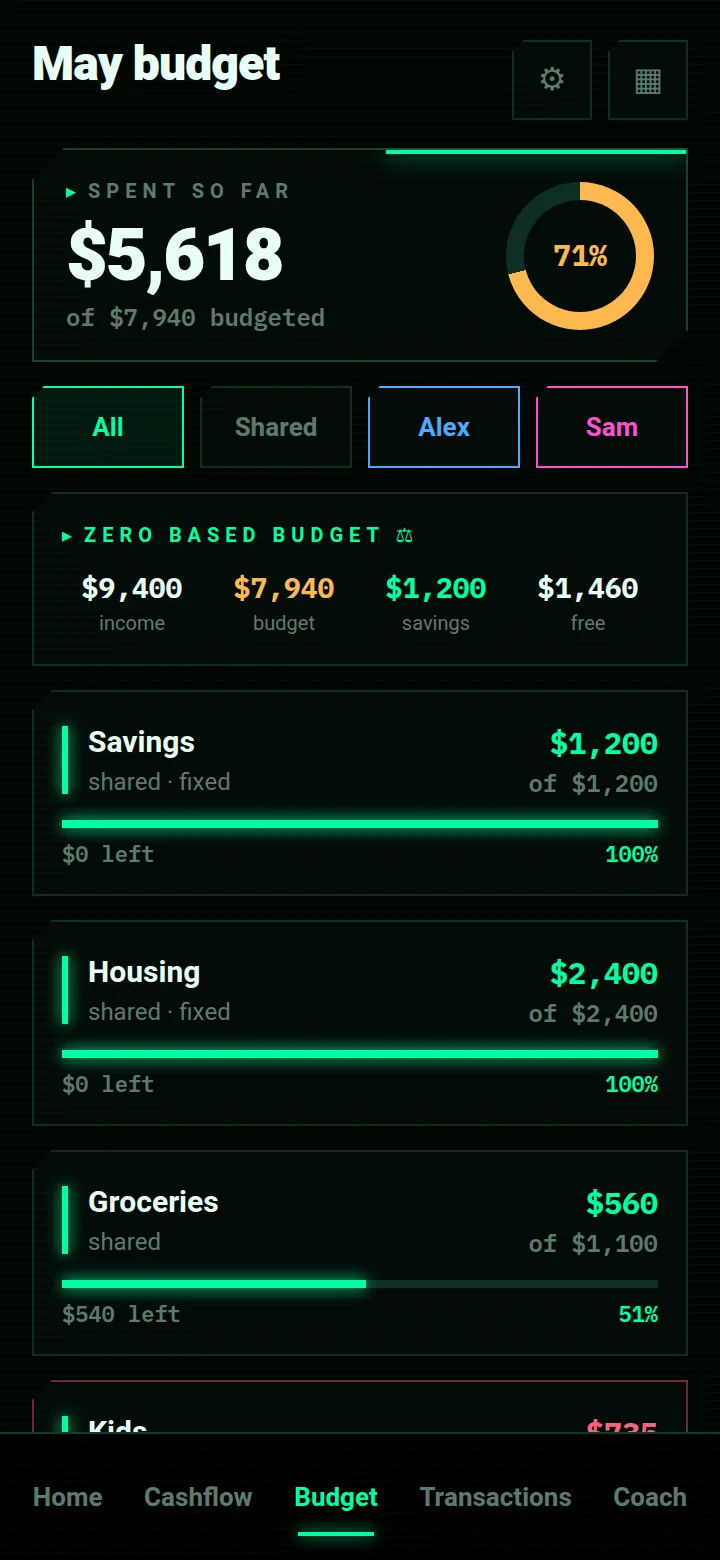
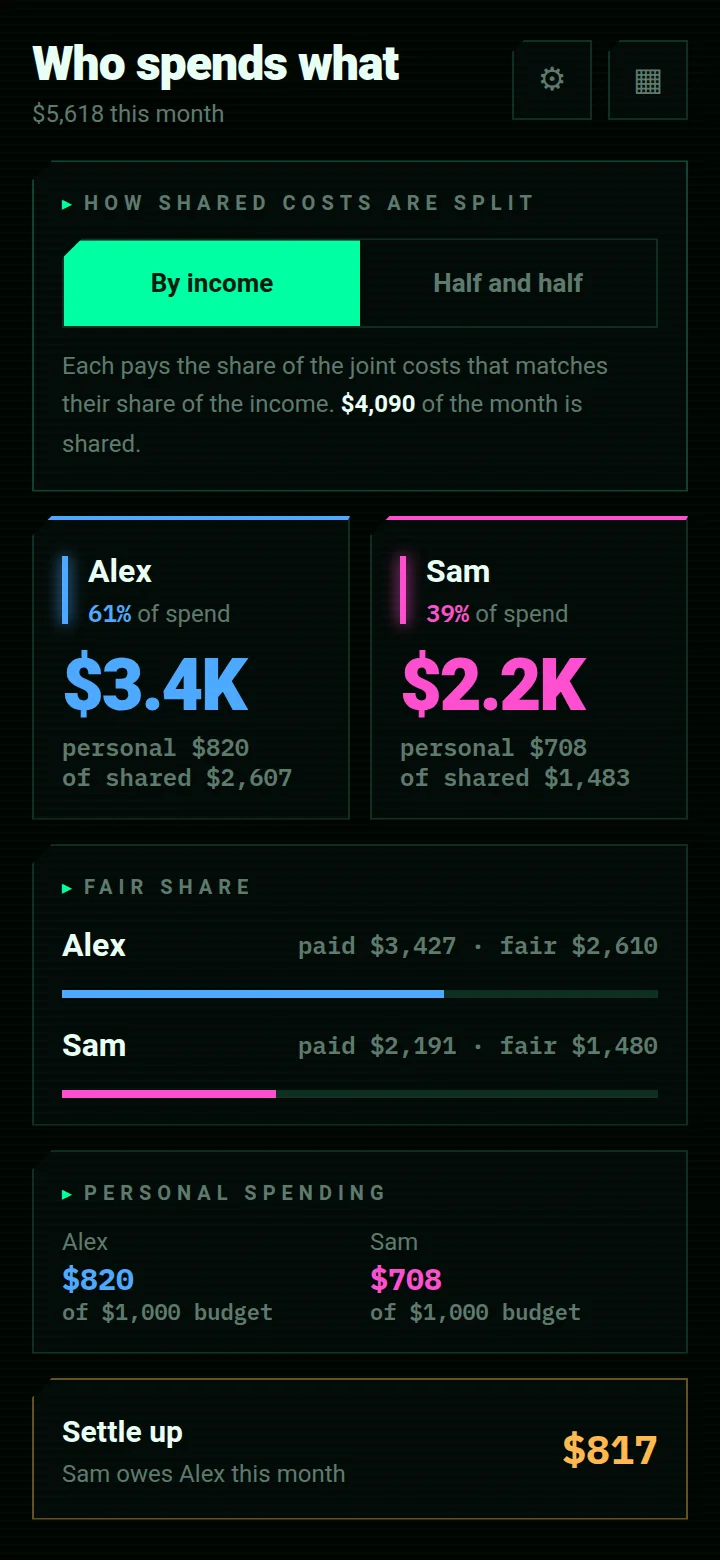
Every category, transaction and subscription belongs to a member or to the household. That one fact drives the budget filter, the breakdown, “who spends what” and the settlement at the end of the month, so the picture is shared, not argued over.
bank passwords in the app
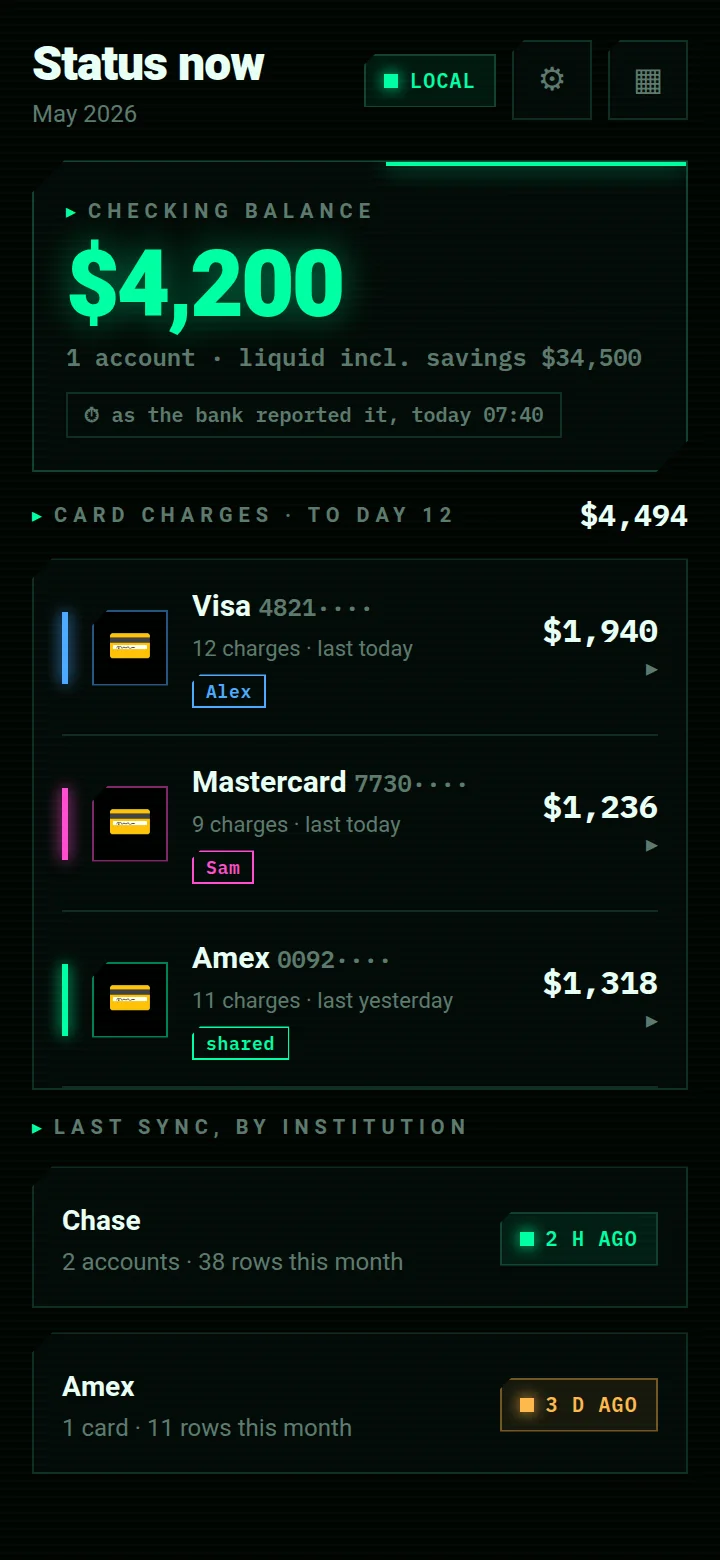
The sync runs on your own computer, with the credentials in its keychain. The phone receives transactions and balances and can ask for a fresh run; it cannot hold a login, and there is no form to type one into.
What ships in the beta
Everything below is either built or being built. Waitlist members get each piece as it ships.
- PeakFinance · what ships8 rows
- 01
Every account in one ledger
A small tool on your own computer logs into the banks and card issuers, pulls the month and the balances, and pushes them to the app. Checking, savings, every card: one list, current to the last sync, with the time it was true beside each figure.
- 02
Savings first, then the rest
Savings are the first fixed row of the budget, not the remainder. Goals track what is in them and when they fill, and the unallocated money at the end of the plan is offered to the goal that needs it, before it can drift.
- 03
A budget that keeps itself honest
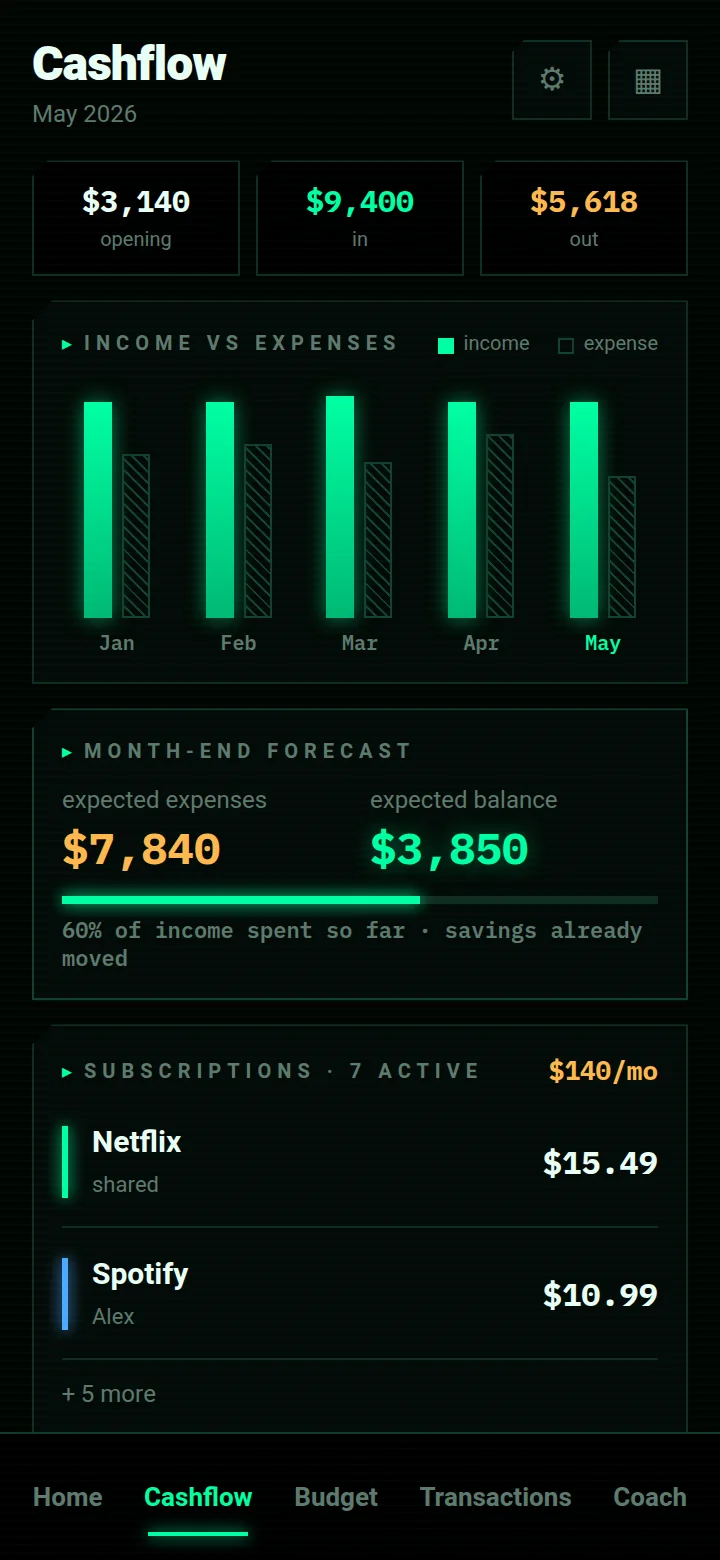
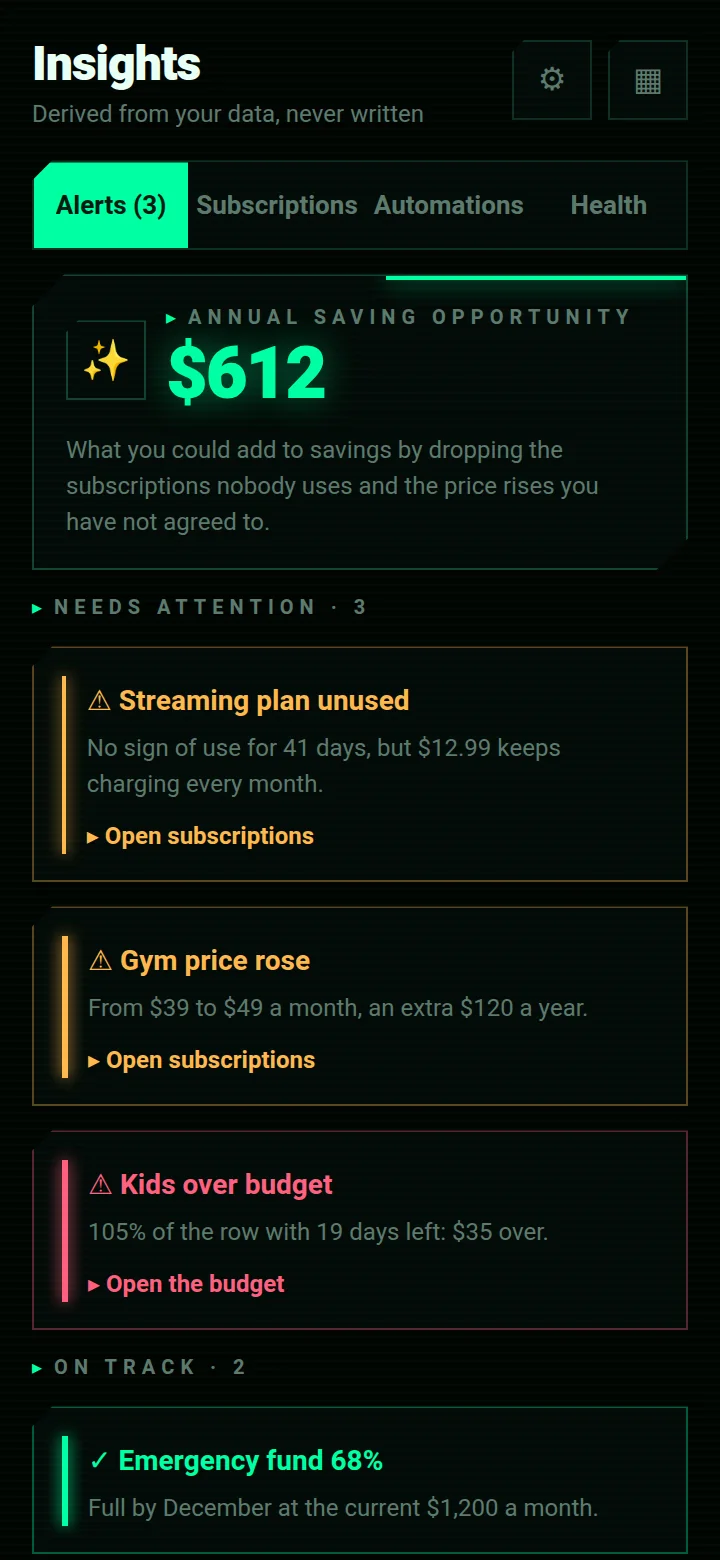
Zero-based: every dollar of income is assigned to a row. A row stores no total of its own, it is the sum of its transactions, so a corrected charge moves every screen and an overspent category is flagged with the overrun in money, not a colour.
- 04
A forecast to the next salary
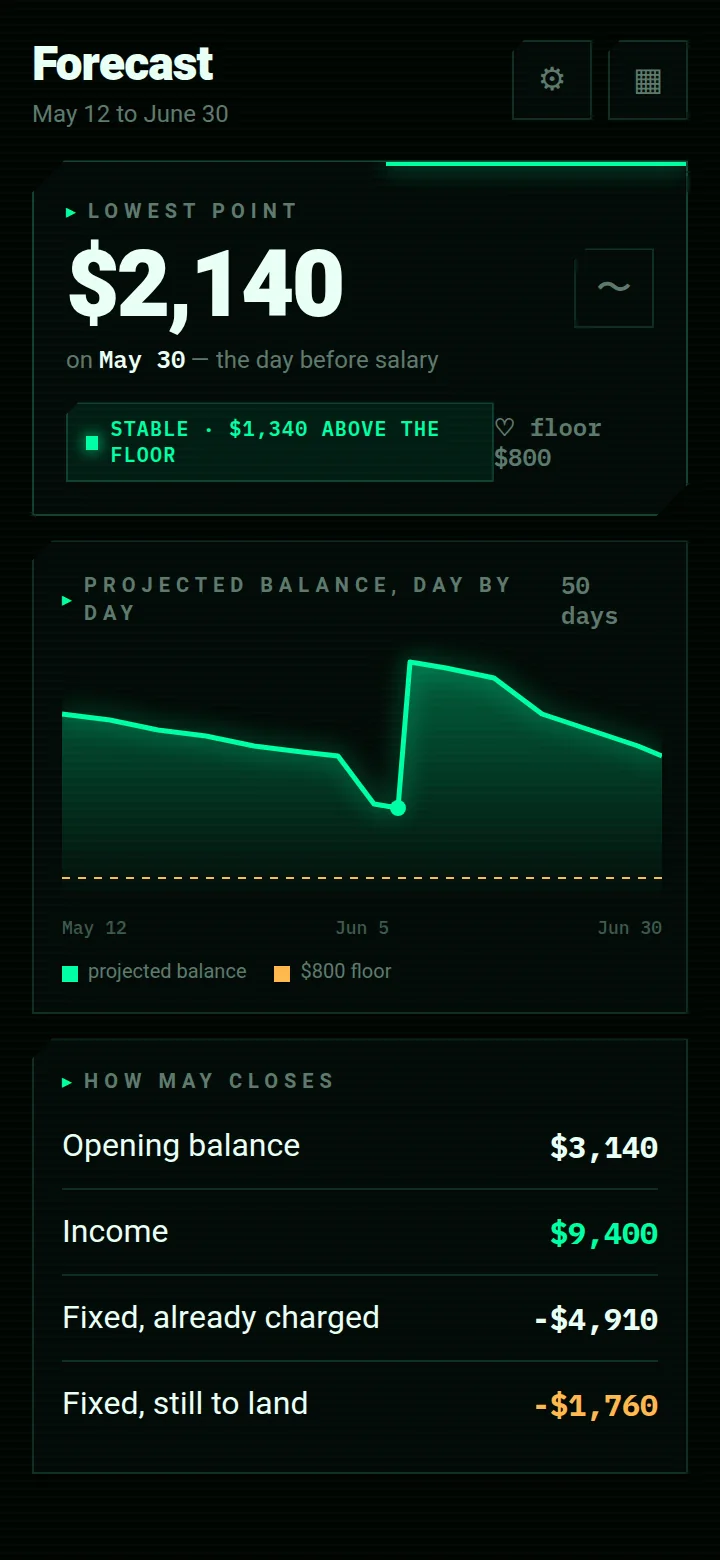
Fifty days of projected balance from the fixed charges still to land, the instalments and the subscriptions. It names the low point, the day it falls on and the margin above your floor, so a tight week is known in advance.
- 05
Who spends what
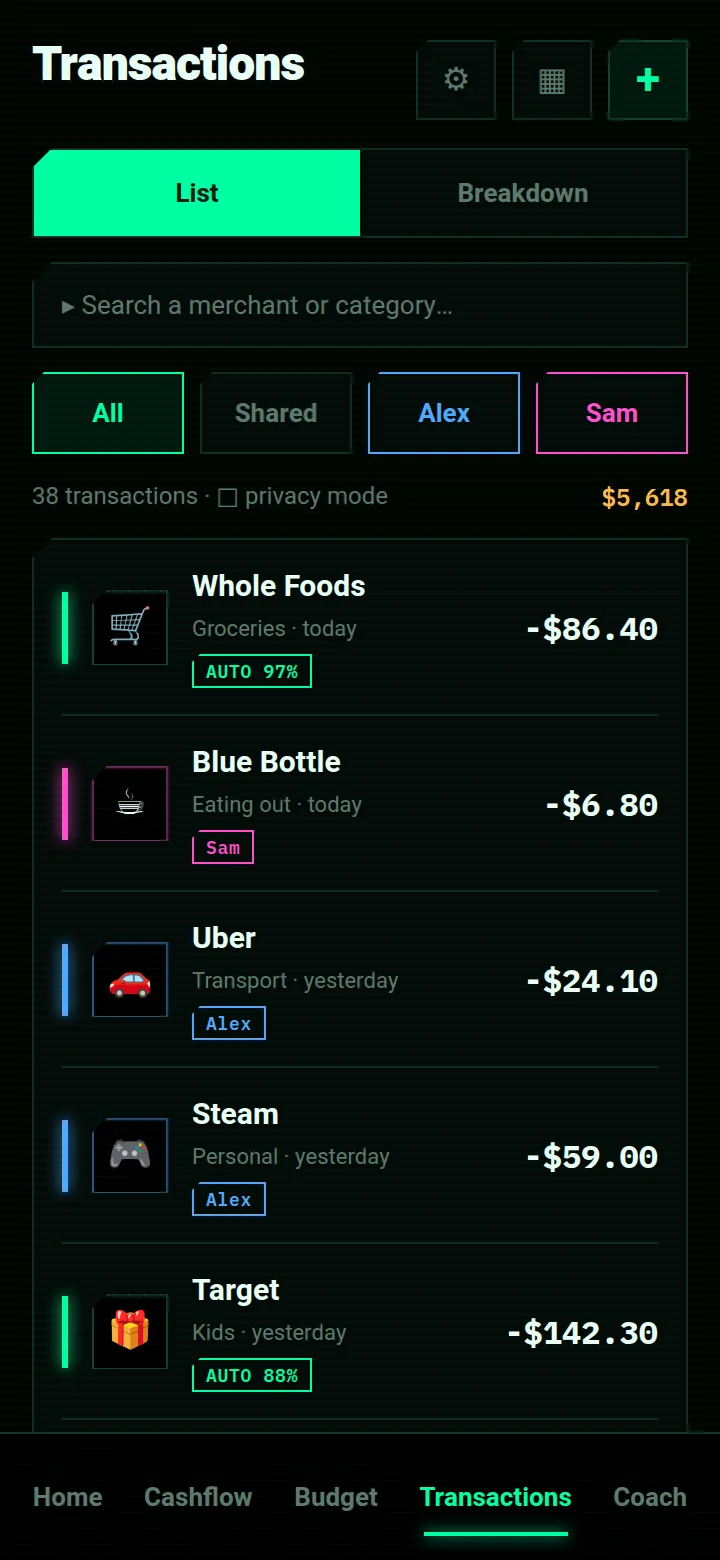
Per-member attribution from the card that paid, the rule you taught it or the category's default owner. Personal against shared, a fair share under the split you chose, by income or half and half, and a settlement that says who owes whom.
- 06
Transactions that file themselves
A learned rule, then a subscription, then how you filed that merchant before, then a keyword table, then the card, which says who rather than what. Edit a row once and the correction persists and becomes a rule.
- 07
A coach that reads your month
Ask where the savings rate slipped or what the emergency fund needs to fill by December. The coach gets a compact summary of the household and, when it needs them, up to twenty-five rows the phone selects and shows you it sent. The API key never leaves the server.
- 08
Sealed on the device
The household is encrypted at rest with AES-256-GCM; on Android the key lives in the Keystore. A biometric app lock covers the screen, a daily backup rotation sits beside the data, and an exported backup file is sealed with a passphrase the app never stores.
- BalanceOne household, every account, savings first
A look inside PeakFinance
Scroll sideways. Nine screens, on an example household.
Screens shown are design renders of the app as it will ship in the beta.
PeakFinance, answered
How does it help me save more?
Which banks and cards does it connect to?
Where do my bank passwords live?
Does it need an account or the cloud?
How does it know who made a charge?
What does the AI coach see?
Is this a licensed financial service?
What is the Founder's Pass?
What happens when the founding round closes?
The other apps
The research behind PeakFinance
Zero-based budgeting for a household, without a spreadsheet
Give every dollar of income a row before the month starts, savings first, then let the rows fill themselves from the…
Pay yourself first: how to set a household savings rate you will actually keep
Savings that come out of what is left are usually nothing. How to pick a rate, move it on payday as a fixed line, tie…
How to split expenses as a couple: by income, half and half, or something in between
Three ways couples split shared costs, what each one quietly assumes, how to compute the settlement without a…
Get in while
it is still free.
The suite opens one app at a time, and the first 500 people through the door open it as founders. Tell us which app you want first and that is where we will start you.
Free for the whole beta — and the first year after launch.
Join before 15 October 2026 and you join as a founder. After it closes the waitlist stays open, but a waitlist is all it is: no free year, no locked price, and invites go out behind the founders.
- Every app you tick, free for the whole beta and for the first year after it launches.
- Founder pricing after that year, locked for as long as you stay.
- First in the queue: founders are invited ahead of the general waitlist, in join order.
- A direct line to the people building it — your reply goes to us, not to a helpdesk.
Your founder place is held.
We got it. Your Founder's Pass is logged against your email. When your slot opens you'll get one email with the build for the app you asked for first.